electronic shopify stores
7 Electronic Shopify Stores Worth Studying in 2026
These 7 electronic Shopify stores show how leading brands present products, position niches, and turn complex specs into confident purchases.
Updated October 24, 2026
Why do some electronics stores make complicated products feel easy to buy while others bury shoppers in specs? The answer often has less to do with how many features a product offers than with whether the store resolves the buyer's main uncertainty: Will this work with what I own? What else do I need? Can I trust this product for my particular use?
These seven electronic Shopify stores are useful to study because each addresses a distinct buying problem. Polaroid makes repeat purchases part of the camera proposition. Wyze and Govee sell connected-home experiences, where software and compatibility matter alongside the device. EcoFlow, Keychron, Turtle Beach, and SVS show different ways to organize technical products, configurations, and use cases.
The point isn't to copy a homepage or declare a universal winner. It's to examine what each storefront helps a buyer decide, then turn that observation into a research question. AdLibrarySpy can help you investigate comparable stores and Meta advertising, but a campaign is a signal to study, not proof of what converts. Start with the customer's decision, then look for how the store and its marketing make that decision easier.
Table of Contents
- 1. Polaroid
- 2. Wyze
- 3. EcoFlow
- 4. Keychron
- 5. Turtle Beach
- 6. SVS
- 7. Govee
- Top 7 Electronics Shopify Stores: Feature Comparison
- Turn These Stores Into Your Own Storefront Checklist
1. Polaroid
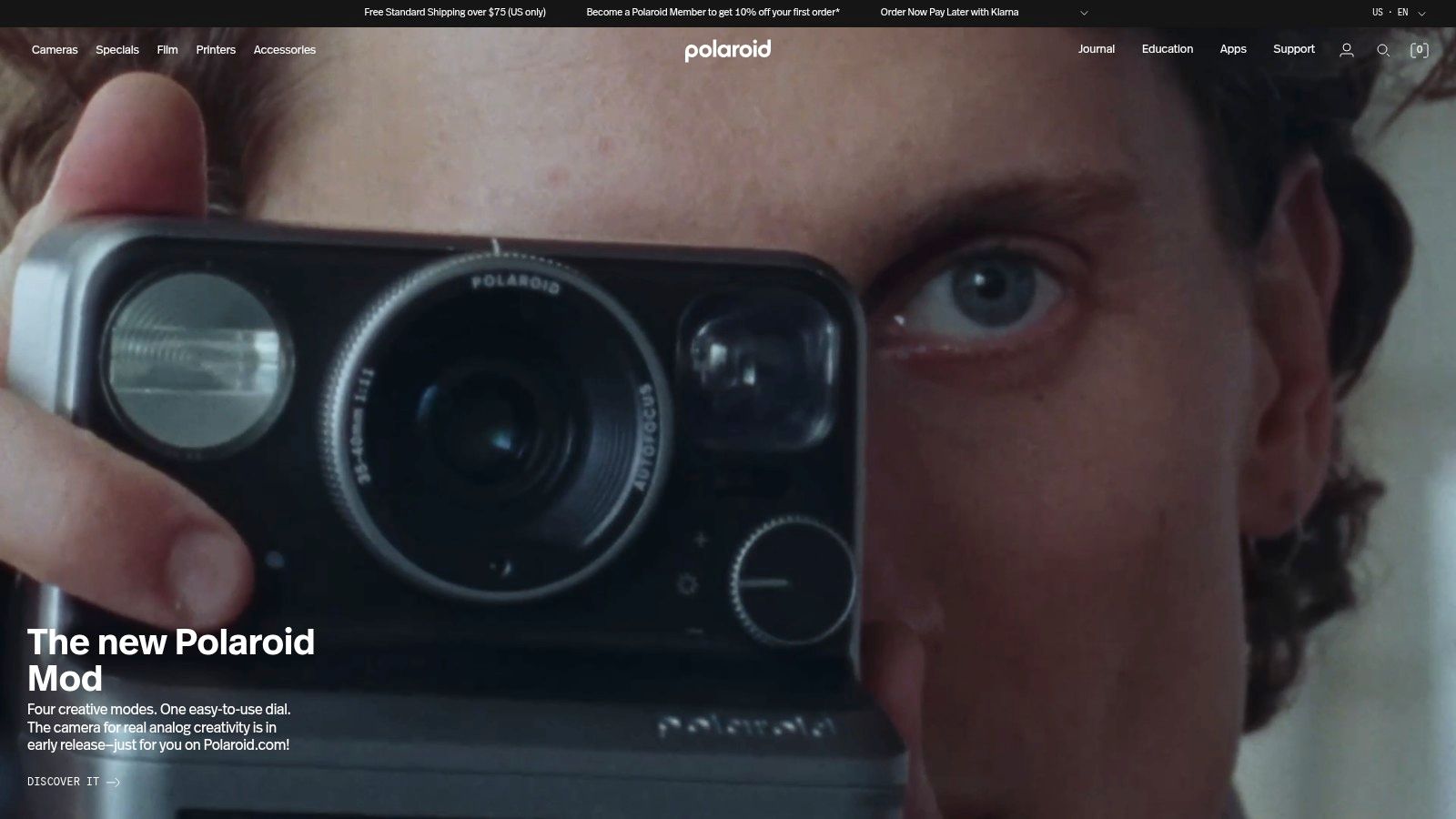
Polaroid solves a problem that many electronics brands underplay: the device is only the beginning of ownership. Its official store brings instant cameras together with film, printers, accessories, and bundles. That arrangement makes the continuing need for compatible supplies visible while shoppers are still choosing a camera.
The merchandising also helps explain the category. A specialist brand can't assume every visitor knows which camera format suits them or what the supporting products do. Product-finder content and education help move the shopper from “I like the idea of instant photography” to a clearer decision about a camera and its related equipment.
The purchase is a system, not a single device
The store's strongest lesson is how it connects a durable product with repeat-purchase items without hiding the ongoing cost of use. Film is part of owning an instant camera, not an optional afterthought. Putting it alongside cameras can help buyers understand that relationship before checkout, while bundles give them a route to consider a fuller setup.
That makes Polaroid a useful model for electronics that rely on consumables, replacement parts, or compatible accessories. The store can support both initial acquisition and later replenishment, provided product availability stays clear. Regional storefronts and promotions also mean shoppers should confirm what's offered in their market.
Research angle: In AdLibrarySpy, compare camera ads with ads for film or bundles. Look for whether the creative sells the device alone or presents a complete ownership experience, then inspect the linked landing pages for the same relationship.
The trade-off is straightforward: recurring supplies add convenience and continuity, but they also represent an ongoing expense. Some products or accessories may be unavailable or sold out, so clear stock information matters as much as evocative product presentation.
2. Wyze
Wyze tackles a different decision: whether a shopper wants one standalone product or a set of devices designed to work together. Its range focuses on connected-home products, including cameras and other smart-home devices designed to work with the Wyze app. The Wyze store sells directly through its website and app, alongside selected authorized retailers.
That mix gives shoppers more than one way to buy, but the central product question remains practical: does this device fit the way I want to monitor or manage my home? A clear use case can narrow a broad category faster than a page that leads with technical features alone.
Connected convenience depends on context
An app-connected product asks buyers to accept more than a device purchase. They're also choosing a software experience and relying on network access. A store that makes those dependencies easy to find can help shoppers judge whether the product suits their setup, rather than leaving compatibility and connectivity questions until after purchase.
The ecosystem can be a strength when someone wants compatible products to work together. It can be a limitation for a buyer who only wants a simple standalone device. Product availability and support may also vary by item and location, while buying through different channels can change the experience a shopper needs to evaluate.
For competitive research, AdLibrarySpy's consumer-electronics store directory offers a starting point for finding related brands and comparing how they present products. Study the ad-to-store journey: does a campaign lead with a specific home-monitoring problem, or promote the broader ecosystem? Then check whether the landing page answers the questions implied by the creative.
Wyze is worth examining for the way it frames a connected product as part of a home use case. The analyst's test is whether the store makes the app, network, and product relationship understandable before the buyer commits, not whether an ecosystem sounds appealing in isolation.
3. EcoFlow
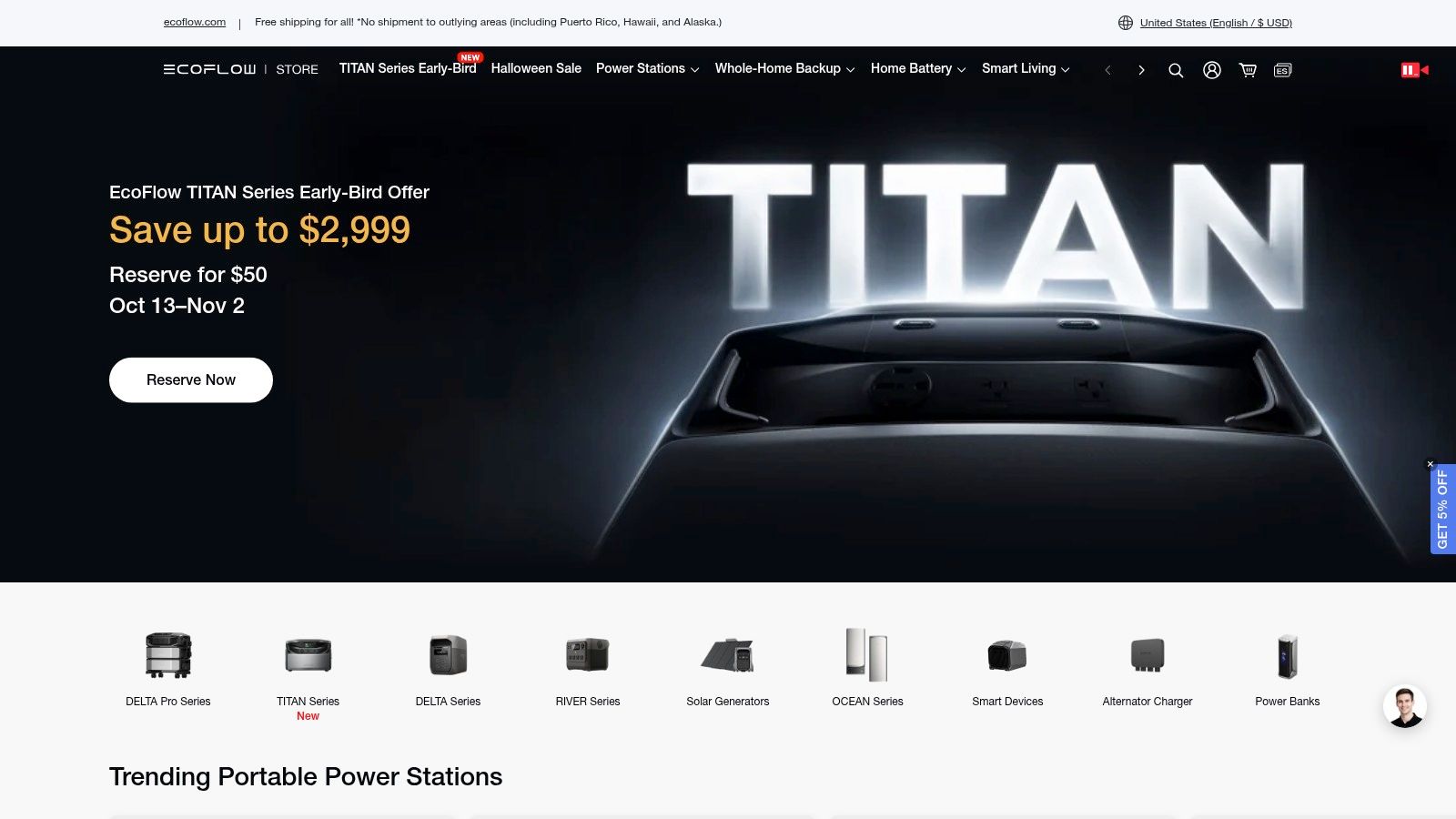
A portable power product can be difficult to buy because the shopper isn't choosing a single gadget. They're trying to decide what kind of setup will meet a particular need. EcoFlow's US store focuses on portable power stations, solar products, and home backup solutions, with bundles and accessories that help frame a purchase as a system.
That focus is valuable for a high-consideration category. A shopper may need to compare components, consider how they'll be used together, and work out whether installation is relevant. Bundles can make a complete setup easier to assess, but they don't remove the need to verify product compatibility.
The setup is the real comparison
EcoFlow's assortment offers a useful storefront lesson: organize products around the job they perform, not only around device names. A buyer looking for backup power has a different question from someone comparing portable power stations for travel or exploring solar-related products. A clear use-case path gives each shopper a more useful starting point.
Some purchases can be paired with installation services, subject to eligibility. That makes service availability part of the product decision, rather than a separate operational detail. Shoppers should confirm whether the service applies to their purchase and location, and review shipping information carefully because preorder dates are estimates and availability can change.
Researchers can compare how other renewable-energy merchants frame bundles and service requirements through AdLibrarySpy's renewable and alternative energy store directory. Check whether ads lead with an individual product, a complete setup, or a particular use case, then compare that pitch with the store's product pages. A mismatch can expose questions the shopper has to resolve alone.
For this category, the useful measure of a product page isn't how many specifications it lists. It's whether the page makes the buyer's next decision clearer: what belongs in the setup, what needs compatibility checking, and whether installation is available.
4. Keychron
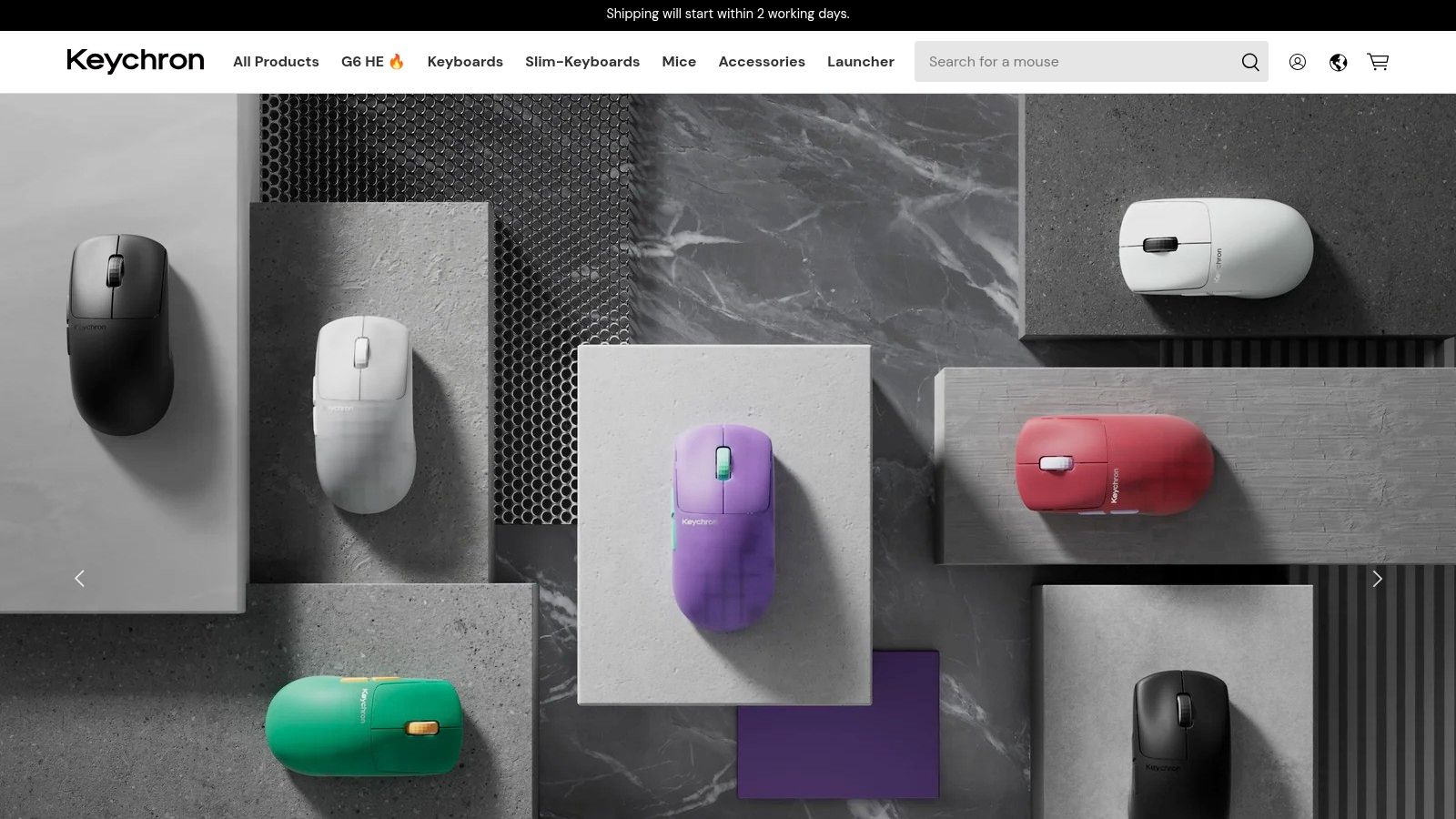
Keychron turns variant complexity into the central shopping challenge. The Keychron store sells mechanical keyboards, mice, and accessories, with product families and configurations for different operating systems and user needs. That gives shoppers choice, but it also raises the cost of a wrong selection.
The store is a useful example of how a specialist brand can make configuration part of its product story. Many models support remapping tools and open-source firmware, while the product range serves both everyday users and enthusiasts. Customization can be a reason to buy, but only if a customer can identify which model and configuration are right first.
Make the variant choice legible
A shopper comparing keyboards may need to check layout, operating-system compatibility, or the specific configuration of a model. When those distinctions are easy to miss, an expansive assortment can become a source of hesitation. The most useful product presentation makes differences visible at the point where the shopper selects a variant, not only in a technical guide elsewhere on the site.
For operators, the lesson is to separate meaningful choice from choice for its own sake. Product families can organize the range, while clear descriptions help buyers understand which differences affect their use. Accessories and replacement components can also support the ownership experience, but they shouldn't distract from confirming the main product configuration.
Practical rule: If customers must verify layout or operating-system compatibility before ordering, put that information beside the configuration choice. Don't make them infer it from a model name.
Keychron also notes that some orders flagged as higher risk may require identity verification. That's a reminder that checkout policies are part of the customer experience, especially when an unexpected verification request could confuse buyers. For researchers, compare the store's product-level explanations with the messages used in its advertising. A campaign may showcase customization, but the landing page still has to help a new buyer choose a specific keyboard.
5. Turtle Beach
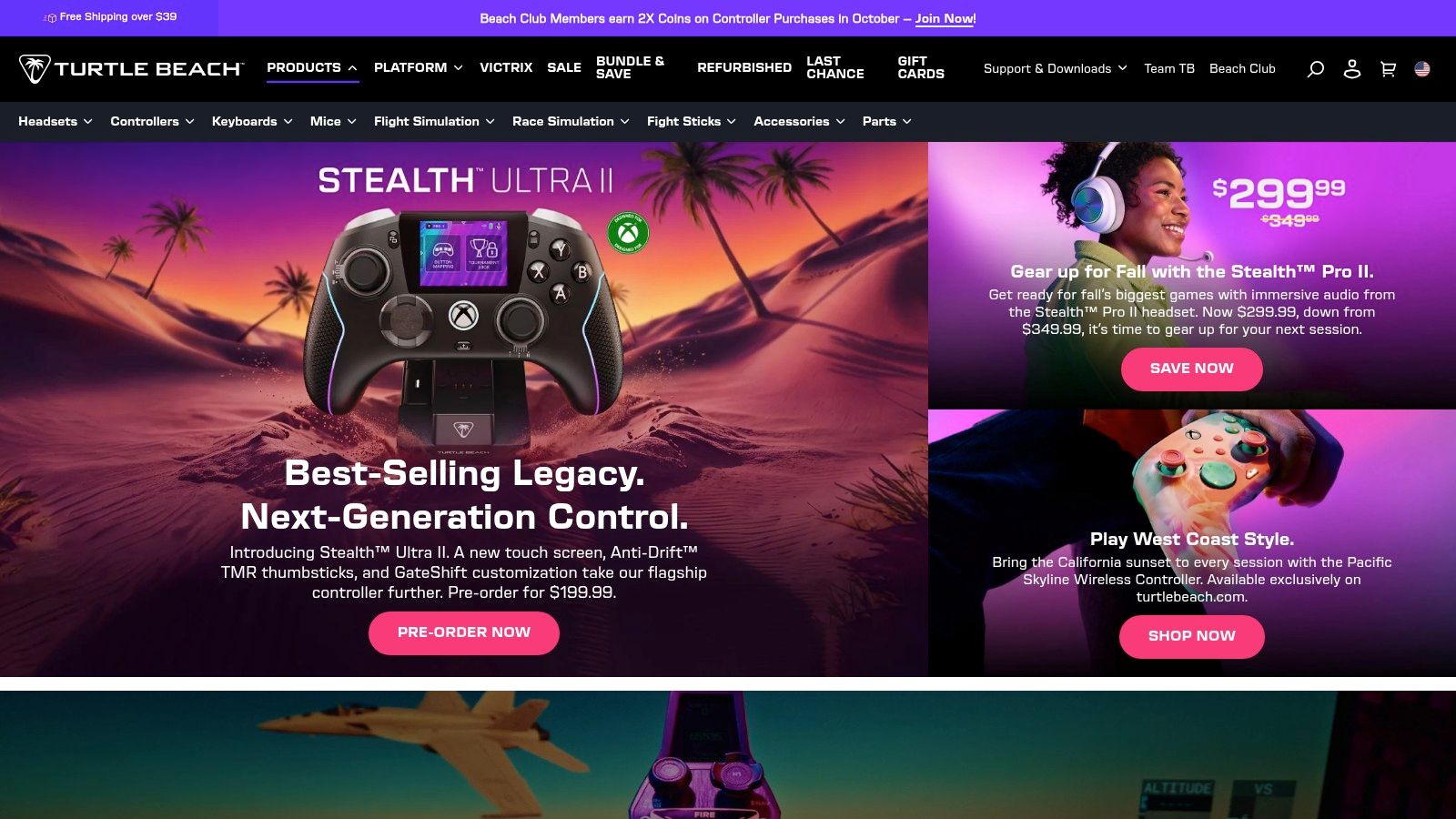
Turtle Beach helps buyers narrow a broad electronics category to a particular gaming setup. Its direct-to-consumer store focuses on gaming headsets and other peripherals, while the brand also sells through other retail channels. That specialist positioning makes it easier to evaluate how products are organized for a defined audience.
The key buying problem is compatibility anxiety. A headset may look suitable, but a shopper still needs to check whether it works with their console, PC, or other equipment. Product features also differ by model, so shoppers need enough information to compare tiers without assuming that the most prominent option is automatically the right fit.
Sell the match, not only the model
Turtle Beach is useful for studying how a store presents products around gaming equipment and use cases. Product tiers can help buyers compare options for different setups, but only if the store makes the relevant distinctions clear. A shopper should be able to move from “I need a gaming headset” to “this model fits my platform and priorities” without guessing.
This is a more specific task than general electronics browsing. A gaming-focused assortment is helpful to buyers who already know their use case, but it's less useful to someone seeking a broad range of unrelated devices. The store's direct channel and other retail availability also make it worth checking whether the product information and customer support are consistent across purchase paths.
For competitor research, focus on the exact promise made in each ad and the platform or use case shown. Then inspect the landing page for matching compatibility guidance. If an ad emphasizes a particular gaming experience but the product page leaves platform fit unclear, that gap is a practical opportunity for another merchant to address.
The takeaway is not to load every page with every specification. It's to surface the few decisions that can make an otherwise attractive peripheral unusable for a particular buyer. In gaming, compatibility isn't a footnote. It's part of the product itself.
6. SVS
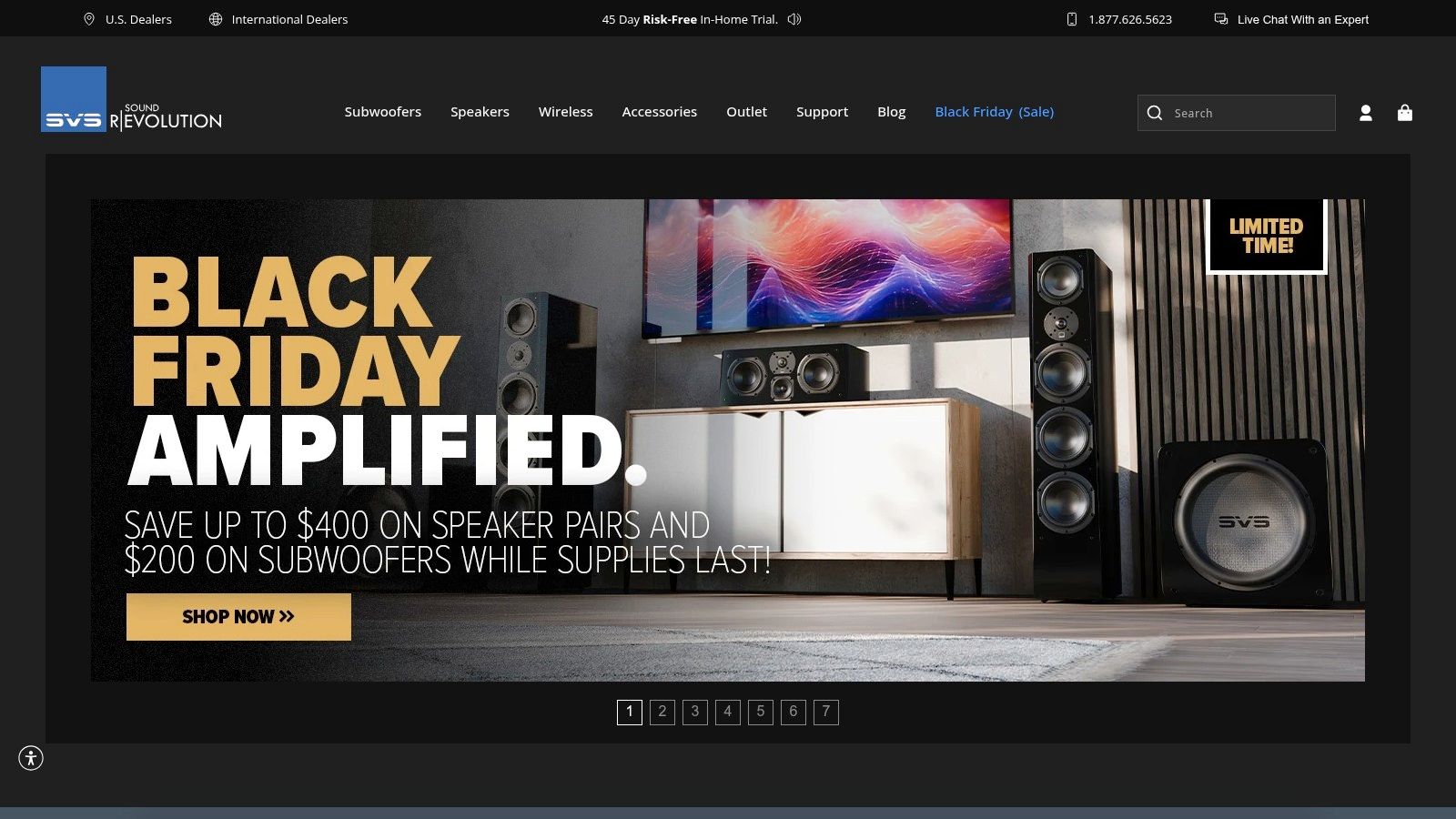
SVS solves a specification-heavy comparison problem. Its audio store specializes in speakers and subwoofers for home-theater and audio enthusiasts, with technical information to support product comparisons. That focus can serve shoppers who want to understand equipment differences rather than browse an undifferentiated selection of electronics.
The buyer's question is rarely just “Which subwoofer has the most appealing description?” They may need to think about room size, existing equipment, and how a product fits into the wider system. Technical detail helps only when it supports those choices. A spec sheet without clear context can add information while leaving the decision just as difficult.
Explain what the specification changes
Specialist product pages need to connect a technical feature to a buyer's use case. For an audio shopper, that means understanding why a model might suit a particular setup and what needs to match with existing components. Related accessories can help complete a system, but they shouldn't obscure the need to check compatibility and current stock.
SVS offers a useful contrast with broader stores. Its dedicated categories can help audio-focused shoppers find relevant products, while casual buyers may find specialist equipment less accessible. That tension is a merchandising choice: technical depth serves informed comparison, but plain-language guidance can help less experienced customers interpret what they're reading.
AdLibrarySpy's audio-equipment store directory can help researchers find comparable specialist stores. Compare how brands turn technical differences into customer-facing language, then check whether their advertising focuses on product specifications, listening context, or system matching. Those choices reveal what each brand believes the buyer needs to decide first.
For an electronics operator, the useful question is whether a visitor can connect the specifications to a real buying decision. If the answer is no, more data isn't necessarily the fix. Better explanation may be.
7. Govee
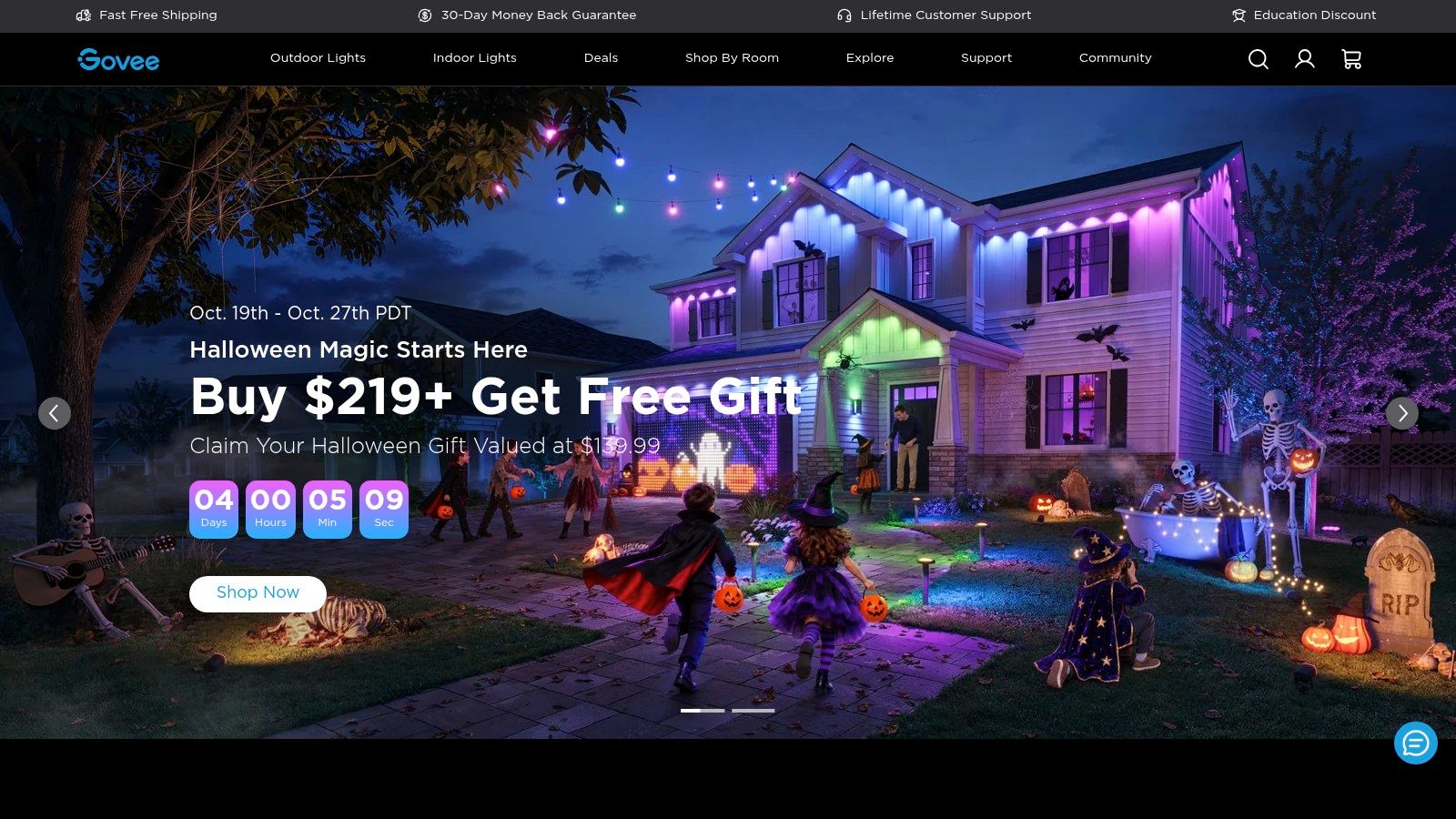
Smart lighting is visual, but a compelling image doesn't answer every question a buyer has. Govee's store sells smart lighting and other connected-home products, organized around lighting and home use cases. Its range of app-connected formats makes it a useful example of how a store can use visual merchandising while still explaining setup considerations.
The buying problem is part discovery, part compatibility. Shoppers may know they want a particular lighting effect, but not which product format suits the room or what app and connectivity requirements apply. A page that leads with the visual result can attract attention; clear product information has to carry the shopper through the rest of the decision.
Let the visuals answer a specific question
Lighting is easy to demonstrate in context, which gives a merchant a strong way to show how a product looks in a home. But product imagery should help distinguish between use cases, not just decorate the page. A shopper comparing connected devices needs to understand what changes from one format or model to another, and whether the features work in their region and setup.
Govee's category focus can make browsing more specific than a general electronics retailer. Still, shoppers new to smart lighting may need more guidance to compare options. App and connectivity requirements deserve clear placement, while availability and features should be checked at the model and regional level.
In advertising research, look at whether creative demonstrates an effect, explains a setup, or shows a finished room. Then follow the ad to the product page and see whether the same promise is supported with useful details. For connected products, the strongest visual is not necessarily the one that helps the buyer decide. The decisive question is whether the store translates inspiration into a clear product match.
Top 7 Electronics Shopify Stores: Feature Comparison
| Store | Product Focus | 🔄 Shopping Complexity | 📊 Repeat-Purchase or Ecosystem Potential | ⭐ Key Advantage | 💡 Ideal Use Case |
|---|---|---|---|---|---|
| Polaroid | Instant cameras, film, printers, and accessories | Low to moderate; shoppers compare camera types and bundles | High; film and accessories support repeat purchases | Clear product identity and category education | Instant photography and camera-related supplies |
| Wyze | Smart-home and security devices | Moderate; products rely on app, network, and compatibility | High; compatible devices can build a connected-home ecosystem | Multiple direct and authorized retail channels | Home monitoring and connected-home setups |
| EcoFlow | Portable power, solar products, and backup systems | High; systems may need compatibility checks and installation planning | Moderate to high; bundles and accessories expand setups | Focused range with bundles and eligible installation services | Portable power or home backup projects |
| Keychron | Mechanical keyboards, mice, and accessories | Moderate to high; layouts, operating systems, and configurations vary | Moderate; accessories and replacement components complement devices | Customization options and focused product comparisons | Everyday typing, gaming, and enthusiast keyboard setups |
| Turtle Beach | Gaming headsets and peripherals | Moderate; compatibility and features vary by model | Moderate; peripherals can complement gaming setups | Clear gaming audience and product tiers | Gaming audio and compatible peripherals |
| SVS | Speakers, subwoofers, and audio components | High; room size and existing equipment affect selection | Moderate; related components and accessories support system expansion | Technical information for specialist comparisons | Home theater and enthusiast audio systems |
| Govee | Smart lighting and connected-home devices | Moderate; app, connectivity, and model features require checking | High; multiple formats and connected products can extend a setup | Visually demonstrable products and focused browsing | App-controlled lighting and smart-home setups |
Turn These Stores Into Your Own Storefront Checklist
These stores point to a practical way to audit an electronics storefront. Begin with the buyer's main uncertainty, not with a design reference. Polaroid makes the repeat-purchase relationship between camera and film visible. Wyze and Govee show why connected-device pages need to explain the role of apps and connectivity. EcoFlow frames a complex purchase as a setup, while Keychron makes configuration a central part of choosing a product. Turtle Beach surfaces platform fit, and SVS shows the challenge of making technical information useful.
For your own store, ask whether a new shopper can identify the hero use case quickly. If a visitor can't tell what problem the product solves, more specifications won't necessarily help. Then look at compatibility: does the page say what the product works with, what else the buyer may need, and which model differences matter? Put those answers close to the product options and buy action.
Next, check how the store handles related products. Bundles and add-ons make sense when they complete the buyer's setup or support ongoing use. They're less helpful when they create extra choices before a shopper understands the main product. Put education near the buy box, where it can answer a purchase question at the point of decision, and make the post-purchase path clear for consumables, accessories, service, or replacement parts.
Use competitor research to test these observations, not to copy another brand's layout. In AdLibrarySpy, you can search online stores and Meta advertisements, examine ad creatives and landing pages, and track competitor activity. The platform's store index, traffic information, advertising records, product details, and collaborative workspace can help teams organize research. Its ad coverage is limited to Meta, so it won't show TikTok or Google campaigns.
Turn your findings into a short working brief: the buyer problem you're solving, the evidence a shopper needs, the offer that completes the purchase, and the question your advertising should answer. Revisit the brief as you monitor comparable stores. A strong storefront doesn't merely display electronics. It helps buyers make a confident choice and understand what ownership involves.
Use AdLibrarySpy to find comparable ecommerce stores, examine their Meta ads and landing pages, and track competitor activity as you research electronic Shopify stores. Save your findings in a shared workspace, then use them to sharpen your product pages around the questions your customers need answered before they buy.
More guides
Try AdLibrarySpy free
Search millions of stores and real Meta ads. No card, no trial — sign up with just your email.