fb advanced search
FB Advanced Search: Researching Competitor Ads Effectively
Master FB advanced search to uncover competitor ad strategies. Learn Boolean queries, Meta Ad Library filters, and cross-market research methods that reveal
Updated October 22, 2026
The most popular advice on FB advanced search is simple, neat, and mostly wrong. You're told to open the search bar, stack a few filters, find a competitor's longest-running ad, and treat it as a winner. That sequence confuses visibility with proof. A visible ad tells you a brand paid to put creative in public. It doesn't tell you the ad converted, earned back its spend, or reached an audience worth copying.
Table of Contents
- What FB Advanced Search Really Means Today
- How Facebook Search Works Under the Hood
- Building a Repeatable Brand Research Workflow
- Using Meta Ad Library for Creative Intelligence
- Researching Global Brands Across Markets and Languages
- Key Takeaways and Practical Tips
What FB Advanced Search Really Means Today
Searching for FB advanced search often leads people to expect something like Google with better filters. Users expect one query to scan people, Pages, posts, and ads, then return a complete and stable result set. That expectation comes from an older Facebook, and it doesn't match the tools you get now.
Facebook introduced Graph Search in limited beta in January 2013 as a structured, relationship-aware system. At launch, Facebook described a database of more than 1 billion users, over 240 billion photos, and more than 1 trillion social connections, with the first release focused on people, photos, places, and interests. You could combine entities and attributes, such as people connected to a place or photos associated with friends, instead of only matching keywords.
That design matters because it set a false memory. Graph Search felt like you were querying the social graph itself. In reality, results still depended on what users had made visible and on your position in their network. It wasn't unrestricted access to platform data, even at its peak.
The Gap Between Memory and the Current Interface
Today's Facebook search is narrower, more personalized, and split across surfaces that don't do the same job. General search helps you discover Pages, people, groups, and public content. Meta Ad Library is a separate transparency database for ads. Treating them as one research tool is where hours disappear.
Consider the questions ecommerce operators ask:
- Is this competitor advertising right now? Ad Library can help, subject to country and Page selection.
- Is this creative profitable? Public ad data can't answer that directly.
- Have I found all their markets? Not if they run regional Pages you haven't discovered.
- Does ranking mean demand? No. Ranking reflects relevance signals and context, not sales.
Finding a competitor's ad is the start of a research question. It's not evidence that the ad works.
That distinction should govern everything you do next. Use FB advanced search to build a candidate set, capture observable facts, and form hypotheses you can test. Don't use it as a shortcut to conclusions about revenue, margins, or audience quality. The interface was never built to prove those things, and pretending it can leads to copying loud ads instead of effective ones.
How Facebook Search Works Under the Hood
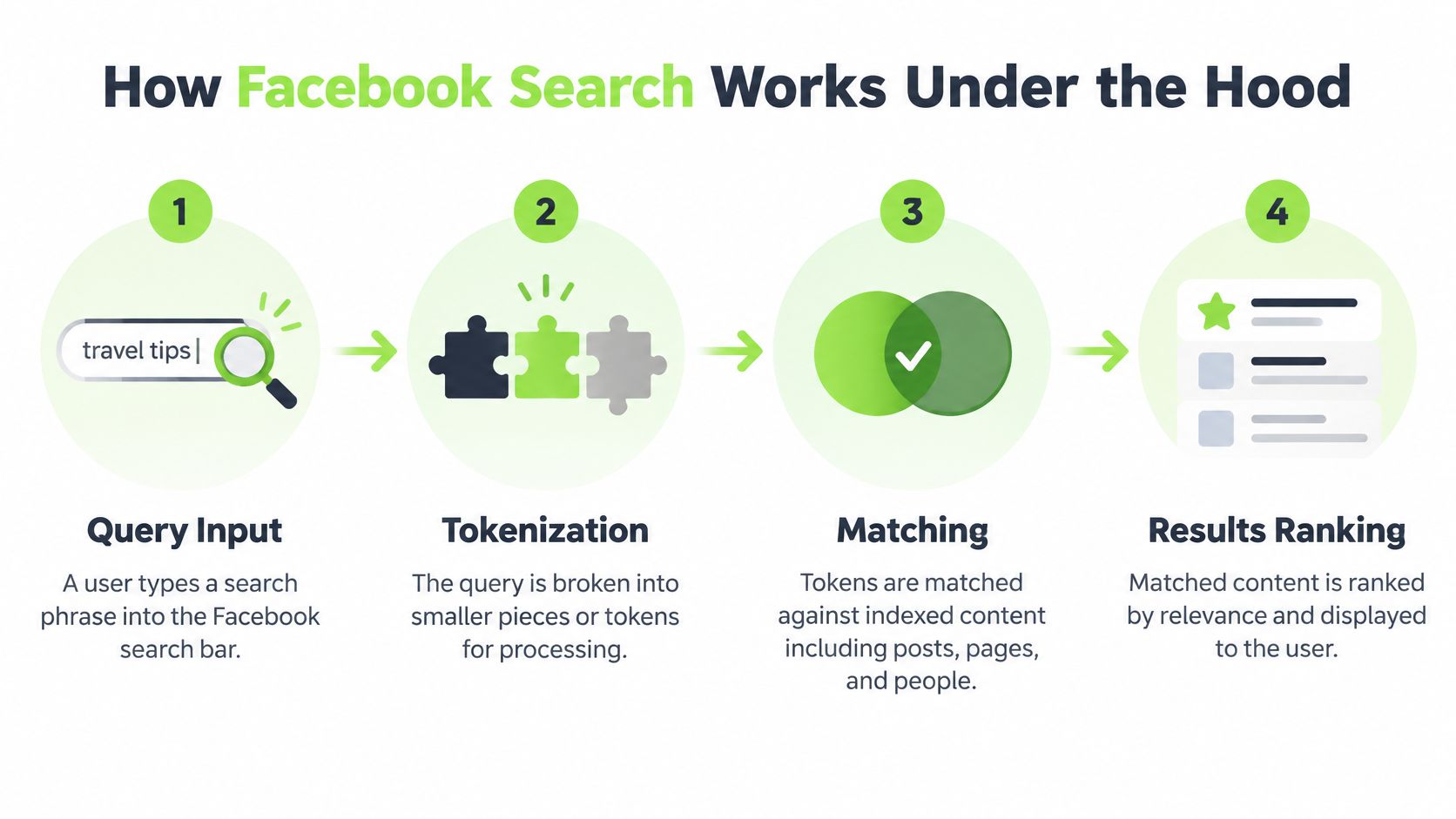
Facebook search doesn't read your query the way you wrote it. It breaks the query into tokens, matches terms against indexed content, applies filters, and ranks candidates using signals that include popularity, recency, and social context. That's why two accounts can run the same search and see different ordering, and why repeating a search later doesn't guarantee the same result set.
The visual below maps that sequence from query input to ranked output.
Why Phrase Search Misleads Researchers
The biggest trap is assuming phrase semantics. Quoting a multiword phrase doesn't mean Facebook preserves word order or matches it as an exact phrase. Terms are matched independently, then candidate results pass through Boolean logic and other filters. If you build a workflow on quoted phrases, you'll think you've narrowed a search when you've only changed the tokens.
The same problem hits operator use. OR broadens a candidate set. It isn't a ranking instruction that tells Facebook to prioritize one term over another. Spelling variants, synonyms, and translated terms each create separate token patterns. If you don't control them, you're comparing different searches while believing you ran one.
How Graph Search Grew, Then Shrank
The history explains why older tutorials describe powers you no longer have. Facebook expanded Graph Search to posts and comments beginning in October 2013, an engineering effort involving approximately 700 terabytes of post and comment data. The early system supported refinements such as time boundaries and restrictions tied to a user's News Feed.
Facebook then changed direction in December 2014, dropped its Bing partnership, and made Graph Search functions less visible. Some capabilities lingered through specially constructed URLs, but the original system was almost entirely deprecated by June 2019.
| Period | What Changed | Research Implication |
|---|---|---|
| January 2013 | Graph Search beta launched | Relational entity queries became possible |
| October 2013 | Post and comment search began | Unstructured content entered the index |
| December 2014 | Search direction changed | Advanced functions became less visible |
| June 2019 | Near-complete deprecation | Old URL tricks stopped being reliable |
That lifecycle is why screenshots in old guides shouldn't drive your process. They document a retired product. Your current advantage doesn't come from hidden operators. It comes from controlling vocabulary, documenting conditions, and validating results by hand.
Building a Repeatable Brand Research Workflow
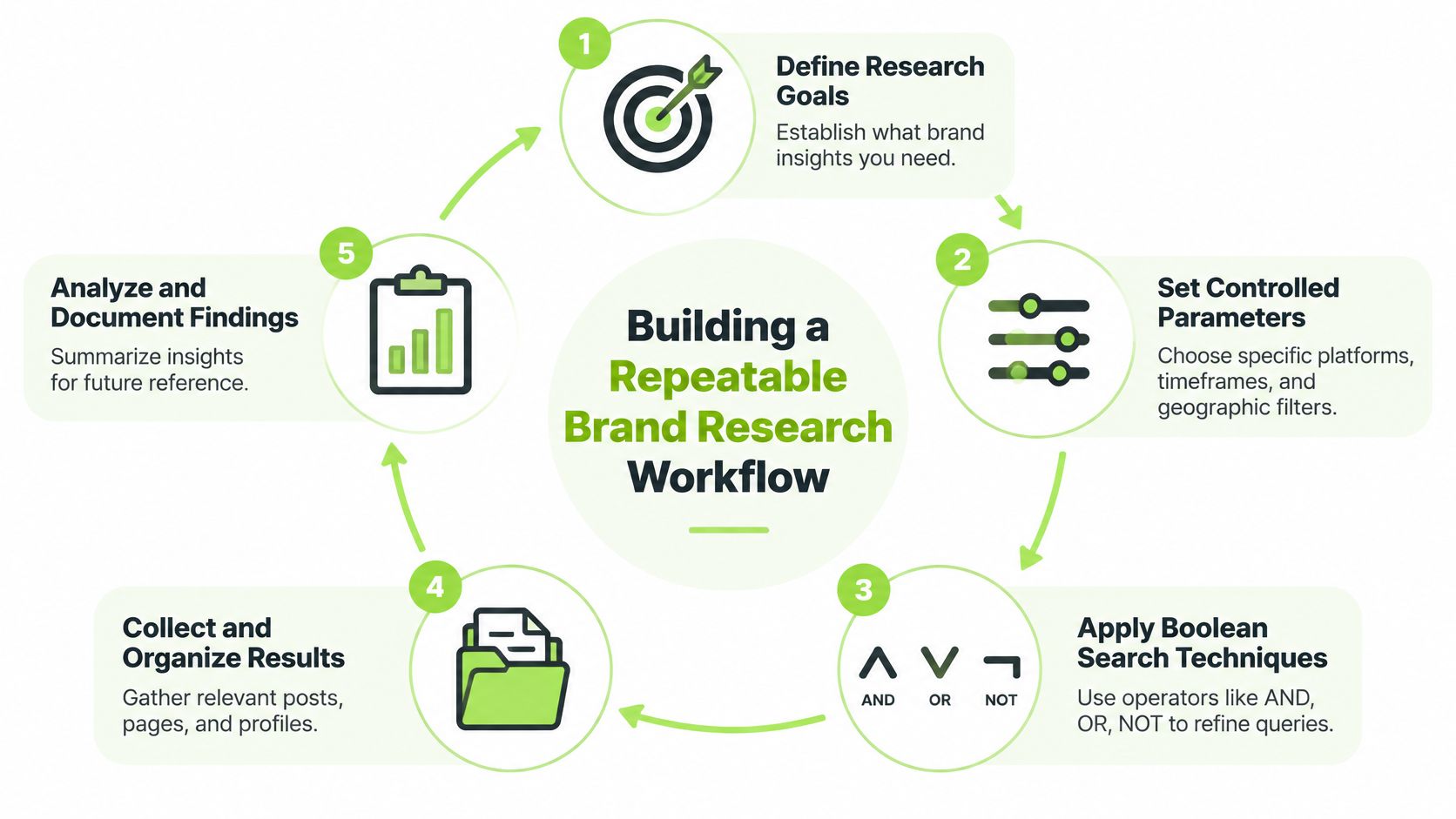
Treat every search as a Boolean retrieval problem, not a phrase hunt. That shift sounds academic, but it's the difference between a folder of random screenshots and research another person can rerun. You need a controlled vocabulary, baseline measurements, and a record of how each operator changed the candidate set.
The cycle below shows the workflow as an iterative loop rather than a one-off search session.
Step 1 Build a Controlled Vocabulary
List terms in four buckets before you search. Include brand names and misspellings, product names and generic category terms, problem language customers use, and geographic terms. For a skincare brand, that might mean the brand name, the hero product, the ingredient, the skin concern, and each market name in the local language.
Run separate baseline searches for each term first. Record the exact query, language, date, endpoint, filters, and result count. Baselines tell you which terms carry signal and which flood you with unrelated Pages. Without them, a combined query hides which term caused the damage.
Step 2 Combine, Narrow, and Deduplicate
Now combine terms deliberately:
- Use AND to intersect concepts, such as brand plus product or product plus geography, and note how much the set shrinks.
- Use OR to group true variants, such as spelling alternatives or translated product terms, never to merge unrelated categories.
- Use NOT to remove known contaminants, such as a same-name local business, a fan Page, or an unrelated product line.
- Deduplicate by Page or entity ID, because the same brand surfaces repeatedly under slightly different result entries.
Meta's documented infrastructure matches terms independently and then applies Boolean filtering, so a practical quality check is to test at least 10 to 20 known-relevant entities and calculate precision as relevant results divided by results reviewed. Track recall separately against that known set. If your search can't find Pages you already know exist, it won't reliably find the ones you don't.
Step 3 Validate Before You Interpret
Manually sample the first results and mark each one relevant, irrelevant, or uncertain. Check whether the Page is official, regional, a retailer, an affiliate, or an impersonator. That classification matters later when you connect general discovery to ad research, a handoff covered in detail in this guide on how to track competitor ads across channels.
Practical rule: If you can't rerun a search under identical parameters and explain the differences, you don't have a workflow yet. You have browsing notes.
Rerun your final queries on a scheduled basis and log what changed. Don't compare counts across languages or dates without noting the search environment, account, and filters. Facebook ranking also folds in popularity, recency, and social context, so position is a discovery aid, not a market-demand score.
Using Meta Ad Library for Creative Intelligence
Meta Ad Library is where FB advanced search becomes advertising research, but only if you respect what the tool is. It's a transparency system, not an analytics dashboard. Start with the advertiser or Page name, then repeat the search by country and ad category. For each creative, inspect run status, platforms, copy, destination, and the associated Page before you save anything.
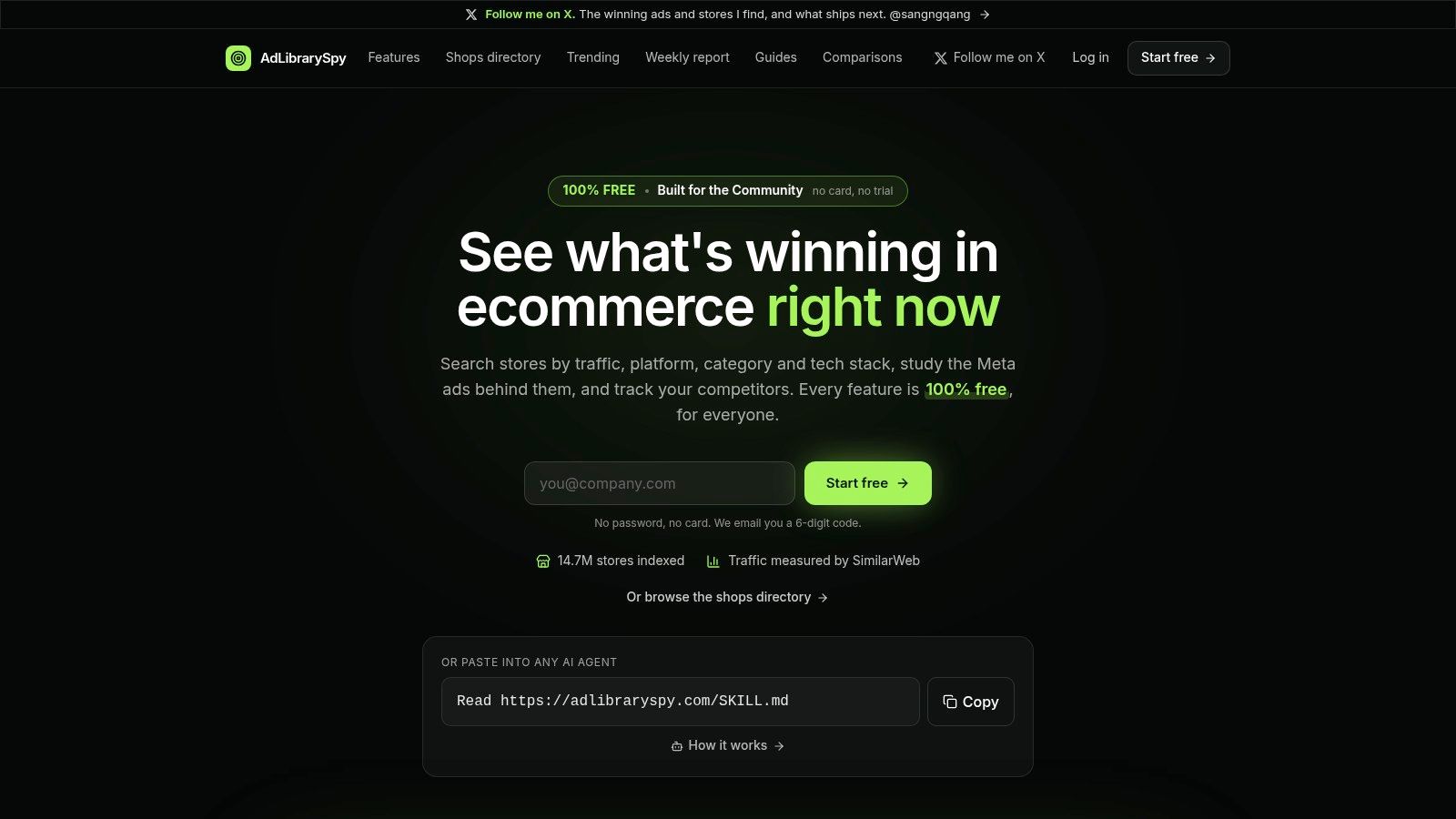
The screenshot below shows a consolidated research workspace where saved creatives sit alongside their brand and landing page context.
Capture Evidence Like a Researcher
Build a worksheet before you collect ads, not after. Each row should hold advertiser identity, country, search term, first-seen date, last-seen date, creative fingerprint, landing-page URL, and an evidence screenshot or record ID. Deduplicate variants by normalized destination domain and creative hash, but keep materially different copy or formats as separate observations.
That discipline prevents the most common error in creative swipe files. Five near-identical ads with one word changed aren't five independent proofs of an angle. They're one concept with variants, and your counts should say so. If you need the library's structure explained from first principles, start with this overview of what the Facebook Ad Library is and how it's organized.
Meta describes the library as covering ads across Meta technologies, while the official API's documented scope is customized searches for issue, election, and political ads delivered worldwide during the prior seven years. That narrower API scope is a warning. Public interface results and API results don't always represent the same universe.
Empty Results Prove Almost Nothing
An empty result doesn't prove a brand never advertised. It may reflect the wrong country, the wrong category, an undiscovered regional Page, indexing differences, or retention limits for inactive ads. Write not found under these parameters in your notes. Never write not running unless your evidence supports it.
The walkthrough below shows the library interface in action, which helps when you're training a teammate to capture fields consistently.
Where manual capture becomes repetitive, a dedicated workspace such as AdLibrarySpy can consolidate saved creatives, landing pages, run dates, and related ads from the same brand into one record. Whichever tool you use, don't invent spend, reach, or conversion figures to fill blank cells. Use observable proxies such as creative longevity, repeated variants, geographic duplication, and landing-page continuity, and label each one as an inference.
Researching Global Brands Across Markets and Languages
International research is where tidy tutorials break down. They present country, language, advertiser, platform, and media type filters as if those controls produce a complete global view. They don't. A multinational brand may advertise through regional subsidiaries, distributors, retail partners, and localized Pages that share no obvious naming pattern.
Keyword search adds another blind spot. It may not read text embedded inside an image, so a claim baked into creative can be invisible to a text query. Commercial date-range filtering is also more limited than what's available for political or issue ads, and documented limitations of the Meta Ad Library include fragmented, Page-centric discovery across markets. Translating the brand name is therefore the weakest possible localization strategy.
Build a Market Matrix Before You Search
Map the brand's footprint first, then search cell by cell. Each row is one market hypothesis you need to confirm or reject with a recorded query.
| Country | Language Variant | Regional Page Name | Product Terms | Landing Domain | Platform Placement |
|---|---|---|---|---|---|
| United States | English | Main brand Page | Hero product, category term | Primary dot-com store | Facebook, Instagram |
| Germany | German | Brand plus country suffix | Translated product and problem terms | Regional store or subdomain | Facebook, Instagram |
| France | French | Subsidiary or distributor Page | Local ingredient or benefit terms | Local retailer or brand domain | Facebook, Instagram |
| United Arab Emirates | English and Arabic | Regional brand Page | Transliterated and translated terms | Regional commerce domain | Instagram, Facebook |
Populate the matrix from the brand's website footer, store locator, regional domains, app listings, and Page transparency details. Then run searches by Page name, product term, and destination domain for each row. When a row returns nothing, record the exact terms and filters used. That negative evidence is valuable later, because it separates searched and not found from never checked.
Privacy Rules Break Cross-Market Comparisons
Don't expect equal detail everywhere. EU transparency for political or issue ads can expose more audience information than ordinary commercial advertising provides. Commercial research in most markets stays limited to observable creative, placement, Page identity, and destination data.
- Page identity varies: The same offer may sit under a global Page in one market and a distributor in another.
- Creative text hides in images: Review thumbnails visually instead of trusting keyword recall.
- Domains reveal structure: A new landing domain often signals a regional store, a retailer handoff, or a test.
- Formats don't travel evenly: Video in one market may become static creative in another for cost or localization reasons.
A global competitor doesn't have one creative footprint waiting behind one search. It has many partial footprints, and your job is to reconcile them.
Key Takeaways and Practical Tips
The output of good FB advanced search isn't a swipe file labeled winning ads. It's a confidence-ranked research brief that states what you observed, what you inferred, and what you still don't know. That framing protects your budget, because it stops a striking creative from borrowing credibility it hasn't earned.
Ordinary commercial ads generally lack CTR, conversion rate, ROAS, exact spend, and detailed targeting data. Third-party coverage reports that Meta introduced impression-range buckets for broader ad research in late 2025 or early 2026, but coarse bands aren't performance metrics. A high-impression ad may reflect broad awareness buying or inefficient spend just as easily as profitable acquisition.
Rank Confidence With Observable Proxies
Score each angle with evidence you can see:
- Continued activity: The concept remains live across repeated checks under identical parameters.
- Market repetition: The same angle appears across countries or regional Pages, adapted rather than copied blindly.
- Creative variation: The brand produces multiple executions of one message, suggesting deliberate investment in the concept.
- Landing-page continuity: The destination stays live, coherent, and matched to the ad promise.
- Delivery signals: Impression-range buckets, where available, help prioritize review order without proving efficiency.
Label each conclusion observed, inferred, or unknown. Observed means the public record shows it. Inferred means proxies point that way. Unknown covers margins, audience quality, conversion rate, and profitability, none of which the library can reveal. If your brief can't separate those three, it isn't ready to guide spend.
The same discipline applies when you extend research beyond Facebook placements, including the methods in this guide on how to spy on Instagram ads. Different surface, same rule. Public visibility supports hypotheses, not verdicts.
A Short Routine That Holds Up
Start each competitor review with your controlled vocabulary and market matrix. Run baselines, narrow with Boolean combinations, deduplicate by Page and destination, then validate a sample by hand. Capture evidence in the worksheet, rerun on a fixed schedule, and write the brief with uncertainty labels intact.
That's slower than grabbing screenshots of long-running ads. It's also how you stop copying competitors who are merely persistent, well funded, or slow to kill weak creative. FB advanced search rewards researchers who ask what the data can support. It punishes everyone who treats visibility as success.
Put this workflow into practice with AdLibrarySpy, where you can search Meta creatives by brand, country, format, and landing page, then save evidence and track competitor changes in one shared workspace. Build your market matrix, capture your first confidence-ranked brief, and let scheduled tracking replace repetitive manual searches.
More guides
Try AdLibrarySpy free
Search millions of stores and real Meta ads. No card, no trial — sign up with just your email.