shopify competitor analysis
Shopify Competitor Analysis: A Practical Workflow
Shopify competitor analysis in 2026: find real rivals, score their stores and Meta ads, then monitor what changes.
Updated November 21, 2026
Shopify merchants generated $378.441 billion in gross merchandise volume in 2025, according to Shopify's SEC-filed results. That's the value of merchandise sold across its merchants, not a sales estimate for the store you're researching. A useful Shopify competitor analysis starts by separating ecosystem scale from evidence about individual rivals.
The practical question isn't which competitor looks biggest. It's which store gives your buyer the strongest reason to order, including whether AI shopping tools can interpret its products and whether its offer still wins after shipping, duties, and returns.
Table of Contents
- The Scorecard Your Analysis Should Produce
- How to Find Stores That Actually Compete
- What to Read on the Store Itself
- How to Read Their Meta Ads
- Where AI Search and Shipping Change the Ranking
- Tips for Watching Competitors Over Time
- Start a Living Competitor File
The Scorecard Your Analysis Should Produce
Build a scorecard for five to eight direct rivals, with your own store alongside them. Treat that range as a working limit: enough variety to expose useful differences, but small enough to inspect each buying journey properly.
Platform economics won't fill the rows for you. Shopify reported approximately $11.56 billion in company revenue for 2025, covering subscriptions and merchant services rather than merchants' merchandise sales, as explained in FourWeekMBA's breakdown of Shopify merchant revenue. Neither platform revenue nor ecosystem GMV tells you an individual merchant's revenue, profitability, or growth.
Shopify competitor scorecard
Copy this grid into a spreadsheet, then give each store its own evidence column.
| Signal | Where it shows up | Record this | Do not infer |
|---|---|---|---|
| Monthly visits and trend | Traffic measurement on the exact store host | Visits, direction of growth, top visitor countries | Revenue or ad spend |
| Hero products and prices | Product pages and the public Shopify product feed | Price band, variant count, compare-at price, visible bestsellers | Margin or unit sales |
| Live Meta ads | Meta Ad Library for Facebook and Instagram | Count, format, hook, landing URL, first seen and still running | TikTok, Google or ROAS |
| Checkout path | Mobile guest checkout on the rival store | Guest checkout, field load, when shipping cost appears, payment methods, trust marks | A conversion rate |
| Apps and pixels | Storefront apps and tracking pixels | Reviews, email, subscriptions, upsell, pixels present | That an app caused growth |
| Shipping and returns | Product page plus shipping and returns policy | Cost, speed, duties note, return window, who pays | That a higher sticker price loses |
| AI-readable catalog | Product page structure, reviews and public claims | Variant clarity, shipping and returns on the PDP, consistent claims | Classic SEO rank alone |
Separate evidence from interpretation
Add fields for source, observation date, market, and next action. A traffic estimate needs its reporting period; a checkout observation needs the device and destination used. Otherwise, a comparison can mix different markets or different months.
Leave missing figures blank. Label a store's bestseller badge as a merchandising claim, not verified unit sales. Keep your interpretation in a separate note so someone else can reproduce the observation without accepting your conclusion.
For the AI visibility column, MyMentions' guide can help you find tools for tracking AI citations. Use those records to distinguish an actual recommendation or citation from a catalog that merely looks well structured.
Working rule: Every filled cell should contain something you can verify, a clearly labeled estimate, or an explicit hypothesis. Never let an empty cell become invented revenue.
How to Find Stores That Actually Compete
Start from the buyer's alternative purchase, not a familiar brand's logo. A store belongs in your comparison when a customer could reasonably buy its product instead of yours.
Use this buyer-first filter before collecting domains.
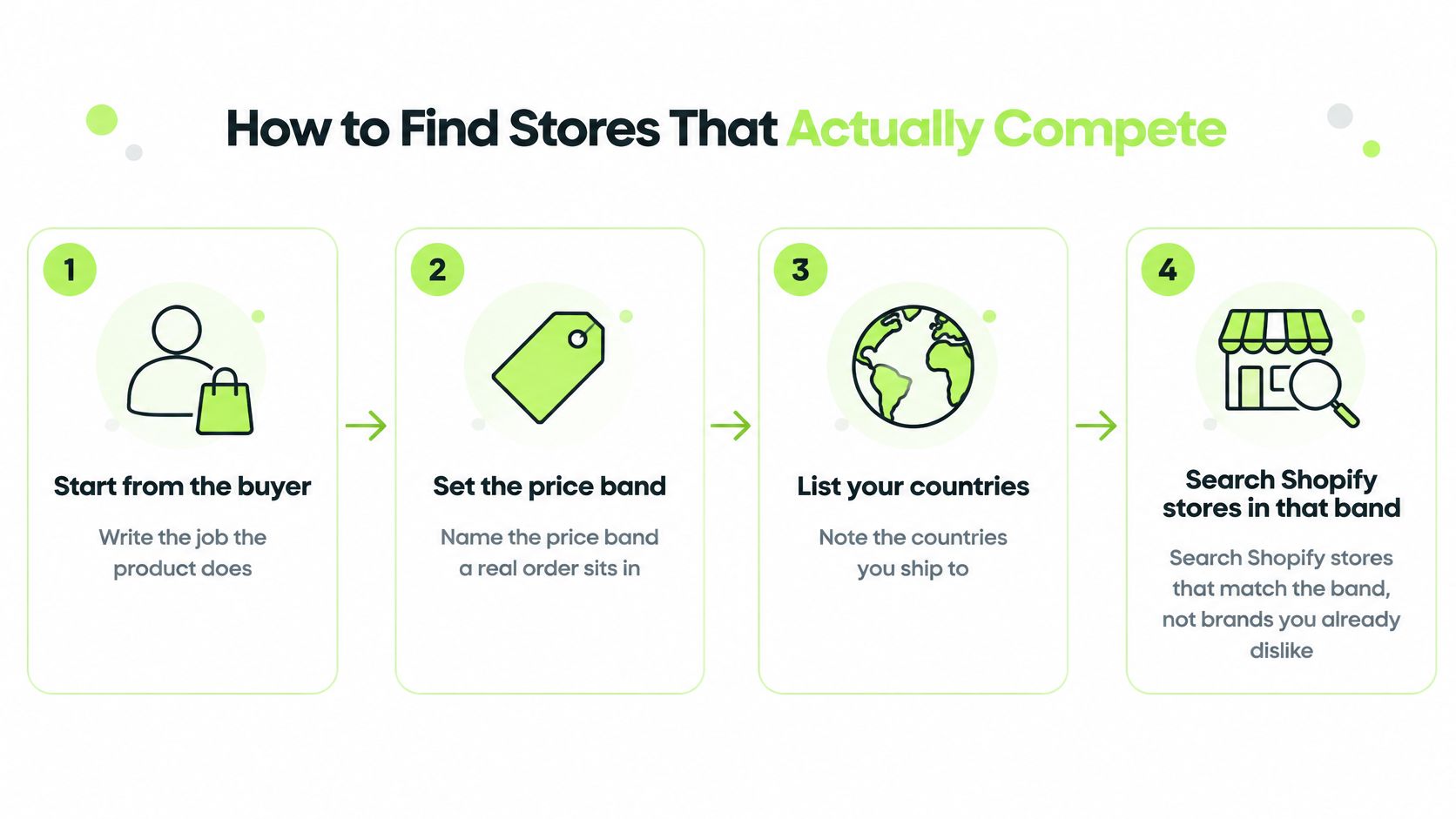
Make each discovery step a keep-or-drop decision
-
Define the buying job. Write what the customer needs the product to do, the price band of a realistic basket, and the countries you serve. For a flannel shirt, that might mean a soft everyday layer rather than technical outdoor insulation. Drop candidates whose main use case differs.
-
Search within the category and destination. Combine product terms with country names and alternative-brand queries. A Shopify stores database can help structure discovery, but category membership isn't enough. Drop catalogs that overlap only through an accessory.
-
Open the actual storefront. Confirm that it's live, accepts the relevant destination, and presents a comparable hero product. Check the currency selector and availability rather than assuming a country flag means the full catalog ships there. Keep the exact selling domain, not just the corporate homepage.
-
Use traffic to shape the comparison set. Favor stores operating within a broadly comparable visit band, then retain a larger aspirational brand and a smaller challenger with an upward trend. Don't exclude a close substitute solely because its traffic measurement is missing. Mark the gap and assess the offer directly.
-
Check how the store sells. A subscription-first catalog may compete differently from a single-purchase shop even when the products look similar. Note review widgets, recurring-purchase options, bundles, and email capture. Keep stores with comparable buying models, or label the difference explicitly.
-
Expand through genuine alternatives. Comparison content can reveal buyer language and less obvious candidates. For example, California Cowboy's discussion of soft flannel options beyond Marine Layer offers a category-specific starting point. Treat such pages as discovery material, then independently verify price, construction, and market fit.
-
Stop when the shortlist supports a thorough audit. Tag each candidate direct, aspirational, or adjacent. Archive weak matches instead of keeping them for completeness. An oversized list produces shallow ad notes and unfinished checkout checks.
Keep commercial rivals outside the platform filter
A WooCommerce brand or marketplace seller can still take the same order. Put those businesses in a side column and compare the buying proposition without expecting Shopify-specific product feeds.
This distinction matters when you decide what to copy. An aspirational brand may offer useful creative ideas but have fulfillment resources you can't match. A direct rival with a similar basket and destination coverage is a better benchmark for your next operational test.
What to Read on the Store Itself
Open the rival's store on mobile, signed out, with the same destination selected for every comparison. Begin at the landing page a buyer would encounter, not automatically at the homepage.
Use the checklist as a capture aid, then record the buying path in your file.
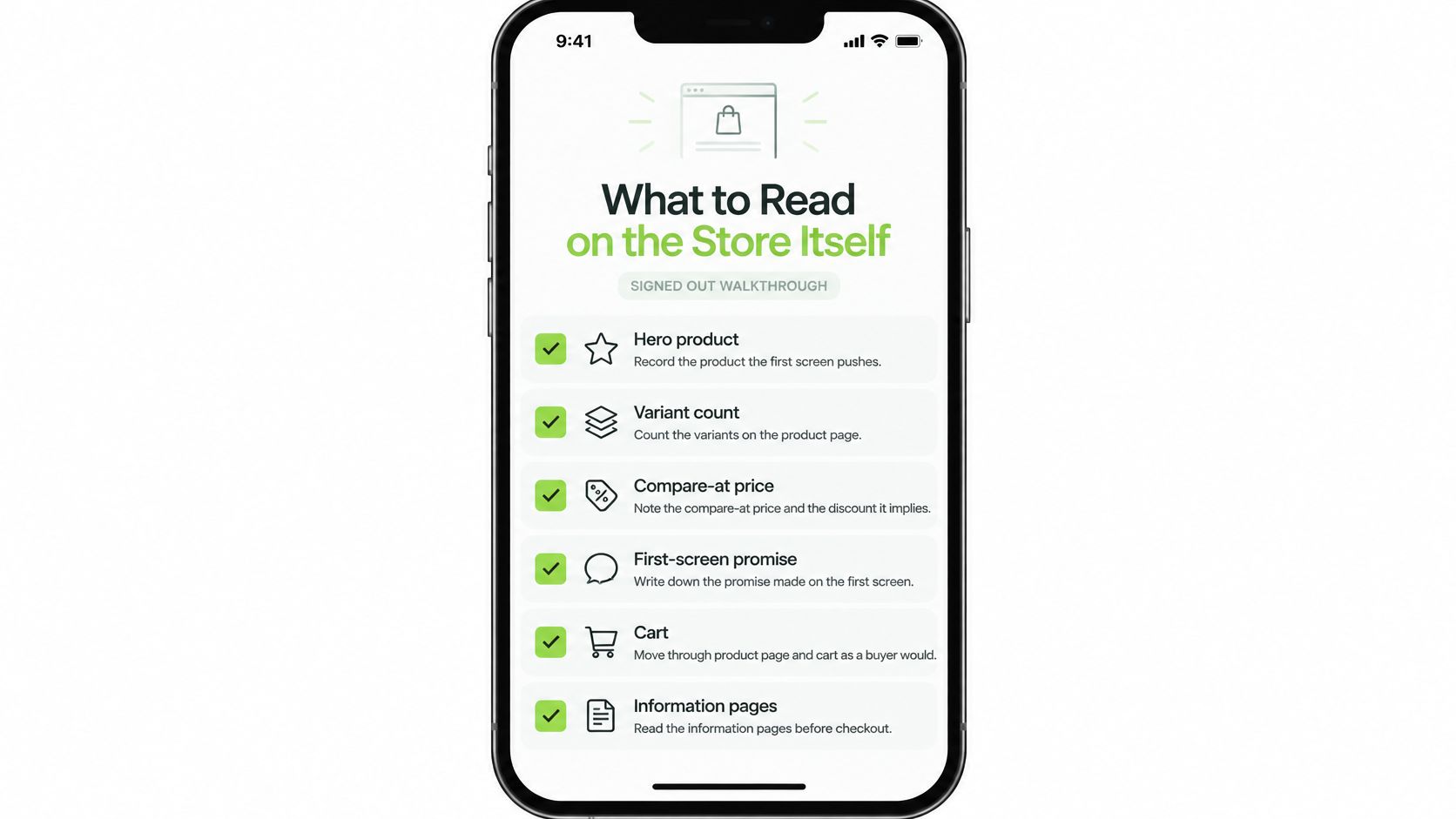
Read the product promise before the checkout
Record the hero product, available variants, selling price, compare-at price, and first-screen promise. Capture the selected variant as well as the product name: the advertised entry price may not apply to the option your buyer wants.
Separate prominence from demand. A featured collection or bestseller label shows what the merchant wants shoppers to notice, not confirmed sales volume. This guide to finding a store's best-selling products helps organize those public signals without turning them into private order data.
Read the supporting proof next. Are material claims explained? Do reviews address the promised benefit? Can a shopper tell which dimensions, ingredients, or compatibility details apply to the selected variant?
Follow the funnel and record friction
Walk through product page, cart, information, shipping, and payment. Inspect confirmation only if you make a legitimate purchase; otherwise, mark it unobserved rather than completing an unwanted transaction.
Use consistent scoring labels such as clear, friction, and unobserved:
- Entry and fields: Note guest checkout, required fields, autofill behavior, and whether account creation interrupts progress.
- Cost and timing: Record where shipping charges and delivery estimates first become visible.
- Payment and reassurance: Capture available payment methods and whether trust claims explain something useful.
- Recovery and layout: Check validation messages, retained form entries, keyboard behavior, and mobile button visibility.
Don't award points merely because a checkout is short. A necessary delivery instruction field may be useful; an unexplained mandatory phone field may create avoidable uncertainty.
The Baymard checkout usability benchmark found 65% of assessed sites were mediocre or worse, with an average of 32 identifiable checkout improvements, across leading US and European ecommerce sites. That's a reason to inspect specific friction, not assume a polished rival has solved checkout.
Finish with the shipping policy, returns policy, and visible selling tools. Record whether policy details agree with the product page, then note review, upsell, subscription, and email tools using storefront inspection or a technology detector.
A competitor's interface gives you a hypothesis. Your own controlled test determines whether changing that interface helps your customers.
There isn't a universal Shopify conversion rate you can assign from appearance. Don't copy a long checkout, aggressive popup, or discount mechanic without identifying the buyer problem it addresses.
How to Read Their Meta Ads
Write Facebook and Instagram only at the top of the advertising tab. Meta Ad Library doesn't show a competitor's TikTok or Google campaigns, so an inactive Meta presence isn't evidence that the brand has stopped acquiring customers.
Keep the ad review connected to the destination page, not just the creative thumbnail.
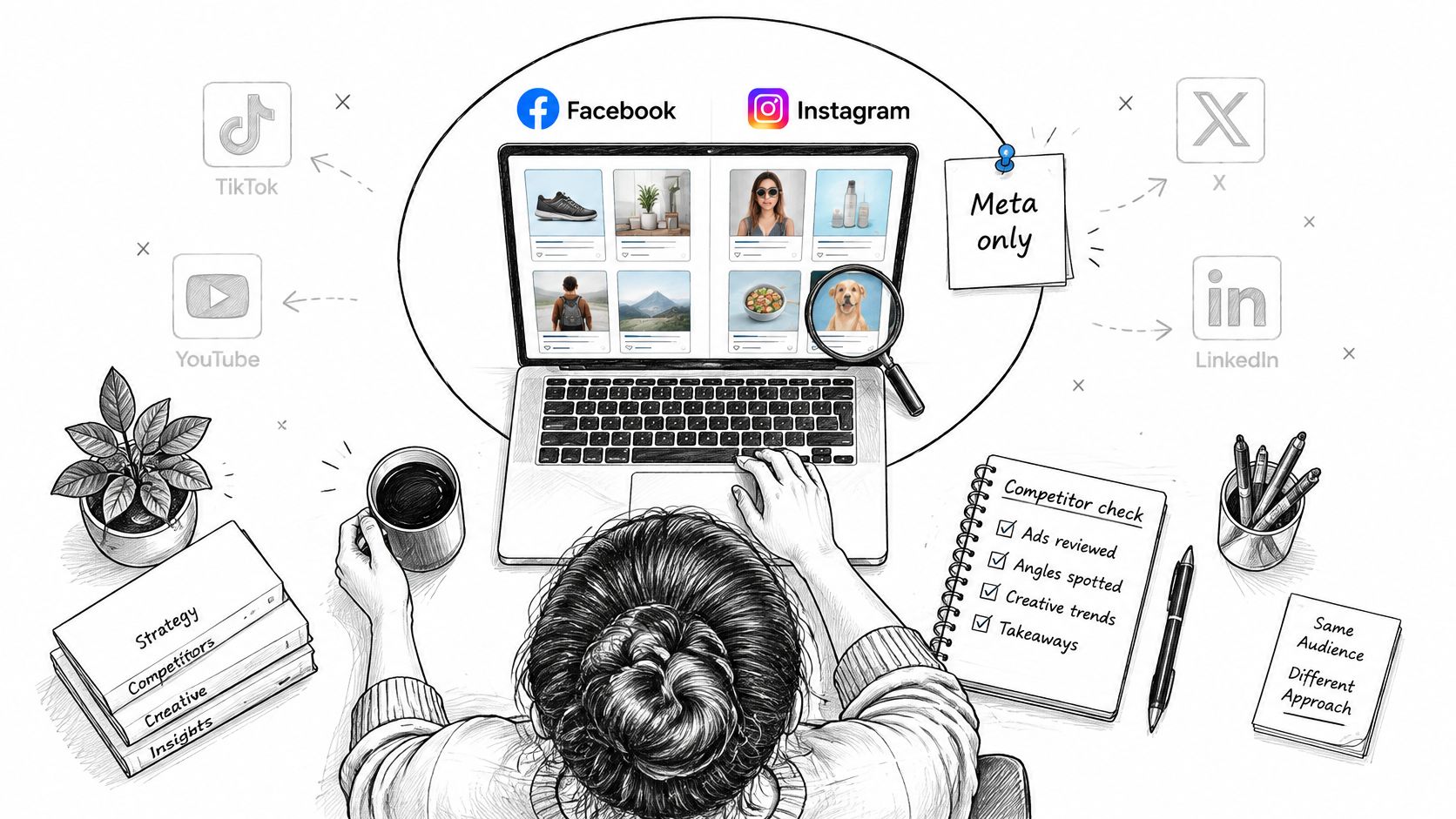
Capture the message and its destination
Search both the brand name and domain, checking that the advertiser belongs to the store you're researching. Similar names, regional pages, and retailer accounts can otherwise contaminate the record. A repeatable competitor Facebook ads workflow helps keep those searches consistent.
For each relevant live ad, save:
- Creative details: Format, primary text, headline, offer, and visible platform information.
- Destination: Landing URL, selected product, advertised price, and any discount conditions.
- Timing evidence: Displayed start date, when you first captured it, and when you last confirmed it remained live.
- Research scope: The country filter used and any missing information.
Keep displayed dates separate from your monitoring dates. First observed means you found it then; it doesn't necessarily mean the advertiser launched it then. A country filter also isn't a complete account of the campaign's targeting settings.
Compare hooks rather than counting thumbnails
Group ads by the belief they're trying to create: problem awareness, demonstration, review proof, offer, or founder credibility. Count distinct executions within those groups, but don't treat a library's ad count as a count of unique strategies.
Say a brand runs several openings that all lead to the same bundle page. The visible evidence suggests it's varying the hook while keeping the offer stable. It doesn't establish which opening receives the most budget or produces the best return.
Retain examples of persistent creative alongside newly observed ads. Longevity is a useful reason to investigate a message, but it's not proof of profitability. An ad may remain active with limited delivery.
| Observation | Useful interpretation | Unsupported conclusion |
|---|---|---|
| Same offer, different openings | The advertiser may be testing hooks | Every execution is profitable |
| Persistent demonstration ad | The mechanism deserves inspection | It has the highest spend |
| Deep-discount creative | A promotion is part of the visible mix | Discounts define the whole strategy |
Open the exact landing page and compare its promise with the ad. A comfort-led video that sends shoppers to a generic collection creates a different journey from a product demonstration linked to a matching variant.
Close each rival's ad note with a sentence: what the click is meant to believe, and which page must substantiate that belief. That's more actionable than saving an attractive video without context.
Where AI Search and Shipping Change the Ranking
Put the finished evidence side by side for a specific destination. Keep price, traffic direction, ad persistence, and checkout usability in view, but rank the offer by how confidently that buyer can choose and receive it.
Which gap should change your next move
| Situation | What should outrank a prettier store | Next move |
|---|---|---|
| Same country and similar price | Clearer product page and fewer checkout fixes | Test that friction on your store |
| Cross-border buyer | Landed cost, local payment and a usable return | Map one destination, not a global rank |
| Weaker ads, cleaner catalog | Product data an AI shopping tool can parse | Audit variants, reviews, shipping and claims |
| Discount-only Meta creative | Whether any evergreen hook exists | Do not copy the discount blindly |
| Much higher traffic, worse delivery promise | Certainty of arrival and returns | Treat traffic as reach, not as the better offer |
Test whether an assistant can understand the offer
Shopify reported that chatbot referral sessions to Shopify stores grew more than eightfold year over year by Q1 2026 and produced 14% higher average order values in its AI search insights. That makes catalog interpretation worth auditing alongside conventional search visibility.
Inspect the product page and its structured product data. Confirm that titles, variant labels, availability, prices, reviews, and shipping information describe the same purchasable item. A color name that makes sense only beside a swatch is less explicit than a label that identifies the actual color.
Then run a repeatable set of shopping questions with a destination and buying constraint included. Save the prompt, tool, date, recommendation, cited pages, and factual errors. Check whether the assistant distinguishes variants and accurately represents returns.
Readability, recommendation visibility, and referral performance are separate signals. You can inspect a rival's public catalog and observe recommendations, but you can't infer its private AI referral revenue from those checks.
Compare the delivered offer
Shopify's online shopping trends guidance identifies high shipping costs as a cart-abandonment reason for 39% of shoppers and says 79% abandon when their preferred returns option is unavailable. Compare those buying constraints directly rather than treating localization as a currency switch.
Build a destination-specific basket using an equivalent product and quantity. Record product cost, shipping, disclosed taxes and duties, delivery estimate, payment options, return destination, return postage responsibility, and refund conditions. If duties aren't stated, label them undisclosed, not zero.
A higher-priced store may offer the more credible purchase when charges are explicit and returns are locally usable. Conversely, a low sticker price with uncertain import costs isn't automatically a bargain.
Decision filter: Prioritize a gap you can fix for a buyer you actually serve. Don't redesign your offer around a rival's advantage in an irrelevant market.
Turn the strongest gap into a bounded experiment: clearer variant names, earlier delivery-cost disclosure, or a destination-specific returns explanation. Measure the result on your store instead of declaring a universal winner.
Tips for Watching Competitors Over Time
Monitoring needs a calendar, not a fresh research project every time someone notices an ad. I'd schedule the same weekday every two weeks and keep the original shortlist stable unless a store stops qualifying.
Use a repeatable cycle so the file remains comparable.
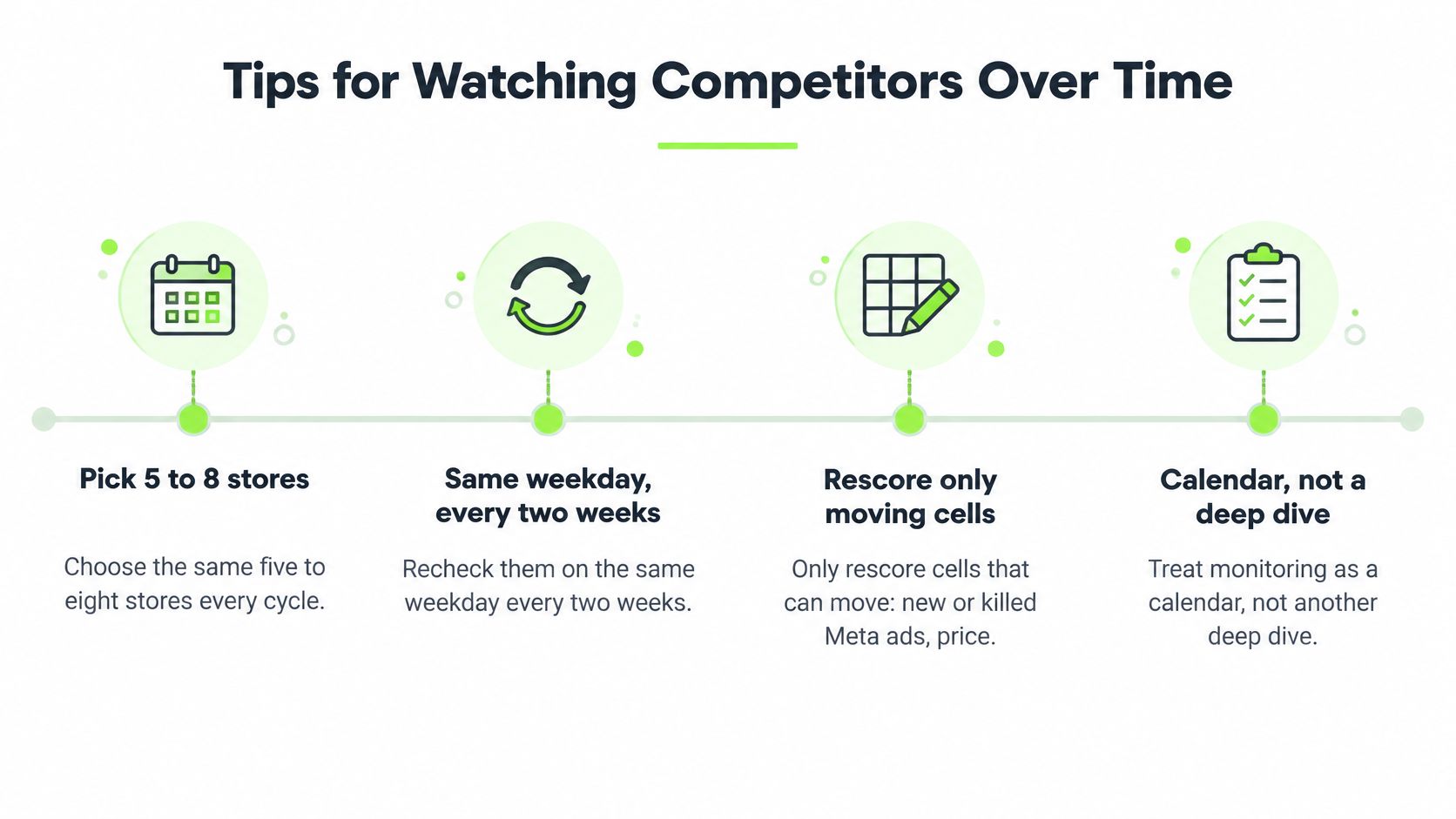
Rescore moving cells
Save a dated baseline of the homepage offer, hero price, ad activity, and destination shipping promise. On each scheduled pass, check only fields likely to have changed.
- Advertising changes: Newly observed ads, ads no longer visible, different hooks, and changed destinations.
- Merchandising changes: Hero-product swaps, price edits, compare-at changes, bundles, and catalog additions.
- Operational changes: Shipping thresholds, delivery wording, return restrictions, and market availability.
- Traffic changes: Meaningful movement within a consistent measurement period and host.
Keep conventional search monitoring in a separate view. For teams choosing that layer, Verbatim Digital enterprise ranking insights can inform tool selection without turning keyword positions into a substitute for store-level evidence.
Distinguish a test from a repositioning
A new opening within an existing ad hook is usually a candidate creative test. A new product line supported by matching ads, revised homepage copy, and a changed buying journey deserves a deeper review. A newly detected pixel alone doesn't establish a strategic shift.
Write each change log as observation, possible explanation, action. If there's no useful action or unresolved question, archive the observation instead of adding work to the team's queue.
Use the video as a separate reference when reviewing the workflow.
I'd repeat the AI interpretation and returns audit quarterly, with an earlier pass after a substantial catalog or market change. Archive rivals that leave your price band or destination coverage, then promote a qualified adjacent store.
The file should make the next decision easier. A traffic spike without a traceable offer change deserves a note, not an automatic campaign response.
Start a Living Competitor File
Create the file today and add your own store before filling rival rows. Use the same evidence standard for yourself: don't give your checkout a generous score because you know how it's supposed to work.
Start with a manageable set of verified observations:
- Product evidence: Hero price, selected variant, and the promise visible before scrolling.
- Buying evidence: A mobile checkout friction note and a destination-specific delivery promise.
- Acquisition evidence: Live Meta activity and the most persistent hook you can verify.
- Catalog evidence: Whether variant names and returns information are explicit on the product page.
Pick a test from the most consequential gap, not the most visually interesting difference. Showing delivery costs earlier may be more useful than changing a homepage layout; clarifying variant labels may be more useful than adding another promotional widget.
Keep the record tied to its sources
At AdLibrarySpy, you can browse the Shopify store directory or search a domain to open a free dossier, then track the shop without a card. Our store records come from the PlatformDTC market index, traffic from SimilarWeb, ads from Meta Ad Library, and products from each store's public Shopify feed; tracking saves snapshots of new ads, catalogue changes, and traffic to your workspace for comparison.
Keep sources and reporting periods attached to figures, and leave missing evidence blank. Don't extend the file into unsupported revenue or spend estimates, or treat its Meta coverage as TikTok and Google intelligence.
Ship the chosen test before adding more names. At the next scheduled review, record what changed and whether your own experiment earned another iteration.
Visit AdLibrarySpy to find relevant Shopify stores, inspect their dossiers, and save a competitor tracking feed without a payment card. Compare their products, traffic, and live Meta ads, then use the clearest buying-friction gap to choose your next store test.
More guides
Try AdLibrarySpy free
Search millions of stores and real Meta ads. No card, no trial — sign up with just your email.