advertising intelligence platform
Advertising Intelligence Platform Explained for Marketers
What an advertising intelligence platform tracks, where its data stops, and how marketers use it to research competitors and ad creatives.
Updated November 4, 2026
You've seen a competitor's ad three times this week. It looks polished, the offer is clear, and you start wondering if you should copy it, beat it, or ignore it. Then you check another competitor and find dozens more ads. Some are new, some look months old, and none of them tell you if they sold anything. That's the exact moment an advertising intelligence platform becomes useful, and also the moment it's easiest to misread. Used well, it doesn't give you answers about profit. It gives you dated, organized evidence about what competitors showed people, where those ads sent people, and how long the ads stayed in public view.
Table of Contents
- What an Advertising Intelligence Platform Does
- The Data Points an Advertising Intelligence Platform Collects
- Reading Run Dates and Where Competitor Visibility Stops
- From Competitor Ads to Testable Hypotheses
- Three Ways Teams Use an Advertising Intelligence Platform
- Check Coverage Before You Commit to a Platform
What an Advertising Intelligence Platform Does
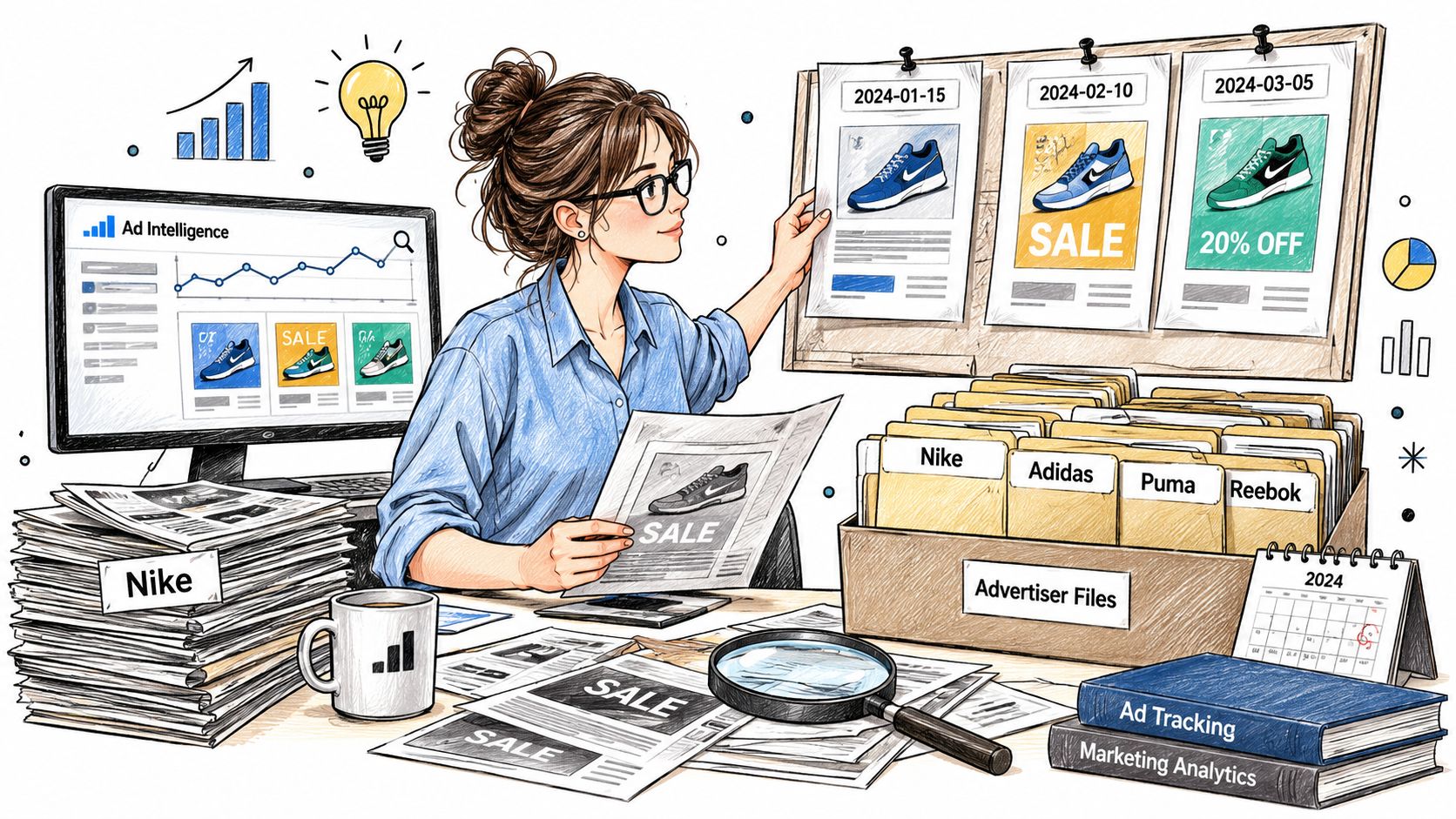
Think of an advertising intelligence platform as a newsroom research desk that clips every published ad, dates it, files it under the advertiser, and notes when it changed.
It's software that collects, organizes, and compares public advertising signals. Those signals can include creatives, copy, run dates, landing pages, store traffic, and store technology. Instead of screenshotting ads when you happen to see them, you search a structured archive and compare brands side by side. You can see what a store is promoting, which formats it favors, and whether a message appears once or keeps returning.
Why Concentration Makes This Useful
The scale is hard to ignore. WARC forecast global advertising expenditure would reach approximately $1.17 trillion in 2025, representing 7.4% year-over-year growth, with social-media platforms expected to capture 40.6% of gross global advertising investment. When so much activity sits on a few networks, a change there isn't a curiosity. A surge in video, a new placement, or a sudden burst of variants can show where brands in your market are placing their attention.
That concentration cuts both ways. You'll see a lot, but you'll only see what those networks make public. If you also run search campaigns, you may want to find rival advertisers' keywords through a Keywordme guide on PPC competitive intelligence, because a Meta-focused archive won't describe a competitor's search program.
An advertising intelligence platform shows creative and delivery signals. It doesn't show earnings.
A Three-Question Test
Before you trust any record, ask what's running, since when, and where it sends people. If a platform can't answer those three questions clearly for a given ad, treat the record as a lead for further checking, not as evidence you can build a budget on.
The Data Points an Advertising Intelligence Platform Collects
A platform is only as useful as its sources, and each data type comes from a different place.
That's the idea readers miss most often. An ad image, a store traffic figure, and a product price may sit on the same screen, but they weren't measured the same way and they don't prove the same thing. In our case, data comes from the PlatformDTC market index for stores, SimilarWeb for traffic, the Meta Ad Library for ads, and each store's public Shopify feed for products. Our index contains 14.7 million stores, which makes source labels even more important, because you can't manually recheck everything.
Data Types a Platform Provides and Their Limits
| Data type | What it shows | Typical source | What it does not show |
|---|---|---|---|
| Ad creative and copy | Message, format and visuals of each ad | Meta Ad Library | Whether the ad sold anything |
| Run dates and delivery intervals | When an ad was delivering | Meta Ad Library | Spend or impressions |
| Placement and format | Feed, Stories, Reels, image or video | Meta Ad Library | Audience reached |
| Landing page | Destination the ad sends people to | Ad record | Conversion rate |
| Store traffic | Measured visits to the exact store host | SimilarWeb | Revenue or profit |
| Products | Catalogue items and listed prices | Public Shopify feed | Product sales volume |
| Apps and tracking pixels | Review, upsell, email, SMS and Meta or TikTok pixels | Store technology detection | Whether those tools perform well |
| Ad spend, impressions and revenue | Not reliably public | Not in ad records | Should not be estimated from ad presence |
Read the table as a chain. The creative and copy tell you the message. Run dates tell you when that message was delivering. Placement and format tell you where it appeared and whether it was built for Feed, Stories, Reels, image, or video. The landing page tells you the next step the advertiser wanted. None of those fields tell you the outcome.
Store-level data adds context, not proof. Measured store traffic for the exact store host can show whether a store is large or growing in visits, while a public Shopify feed shows catalogue items and listed prices. Technology detection can reveal review, upsell, email, and SMS apps, plus Meta or TikTok pixels. That's useful when you're analyzing market rivals with Bulby, a Bulby walkthrough on competitive analysis, because it helps you describe how a rival's store is set up. It still doesn't tell you whether those tools make money.
The Boundary You Shouldn't Cross
The Meta Ad Library covers Meta ads only, so other networks need their own sources. Spend, impressions, revenue, and conversion rates are usually not public in ad records. A responsible platform leaves them out rather than modelling them. We label each figure with its source and reporting period and omit missing traffic or media rather than inventing it.
Practical rule: Check the source label on every number before you put it in a report. If a figure has no stated source, treat it as unverified.
Reading Run Dates and Where Competitor Visibility Stops
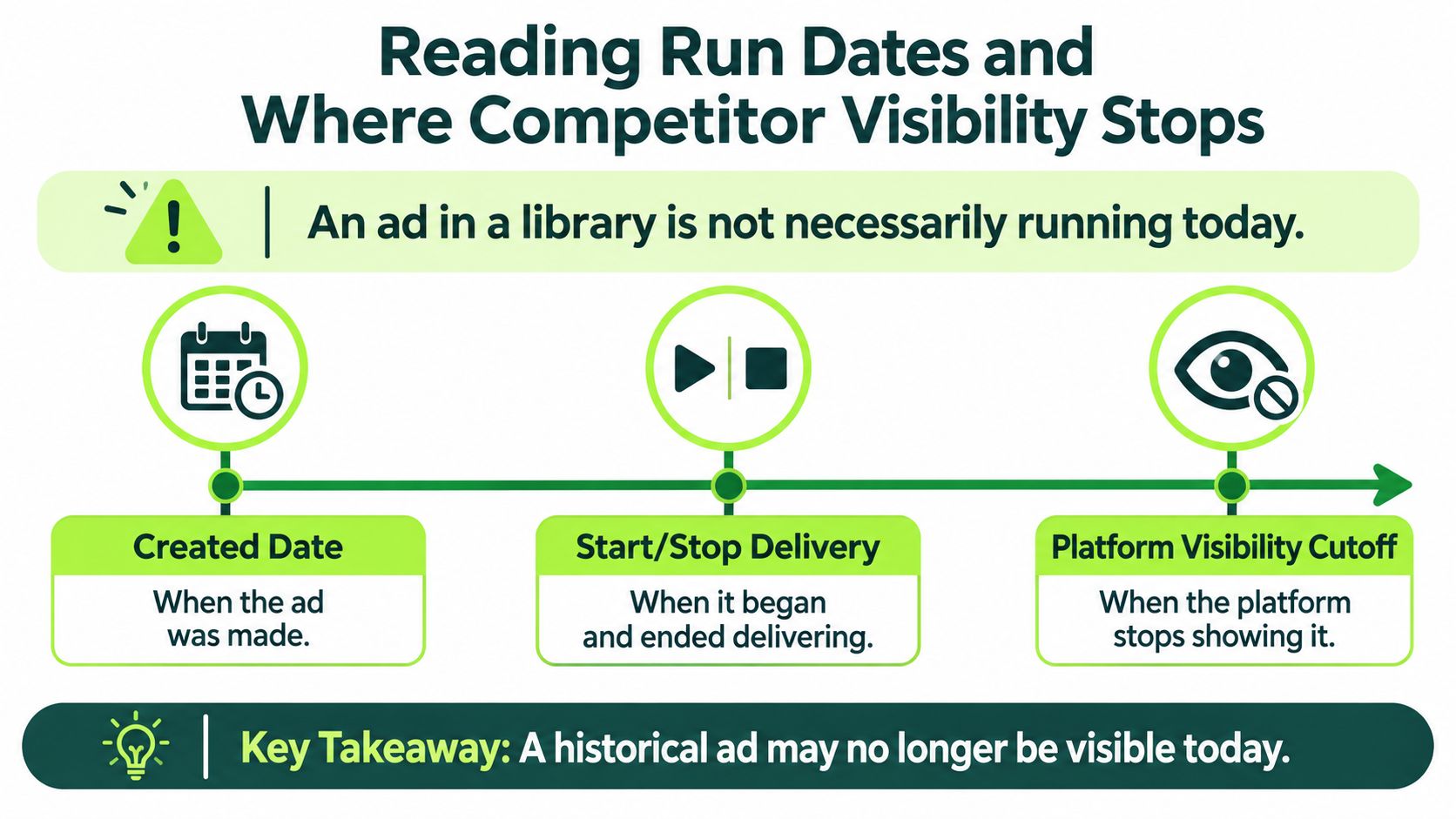
An ad in a library is not necessarily running today. That's the core mistake, and it leads to more bad decisions than any missing feature.
Say you find a sharp video from a competitor on Monday. You brief your designer to counter it by Friday. Then you notice the delivery window closed weeks ago. You've spent time answering an ad that customers may no longer see. The reverse happens too. An ad created months ago can still matter if it's still delivering, while a brand new upload may never get sustained use.
This timeline separates the three dates that matter before you judge any record.
Three Timestamps, Three Different Meanings
Separate when the ad was created, when it started and stopped delivering, and when the platform retrieved the record. Meta's Ad Library API documentation lists fields including a unique Library ID, advertiser Page ID, creative text, delivery start and stop times, placements, and an archived snapshot, and Meta distinguishes ad creation time from the time the ad ran. Measure persistence by the delivery interval, not the upload date.
That distinction lets a platform build normalized creative histories, deduplicate variants, and calculate how long a message stayed active. For a step-by-step check, our guide to how long an ad has been running walks through reading those dates on a real record.
Signals in an Ad Record and What Each Suggests
| Signal | What it suggests | Confidence |
|---|---|---|
| Delivery window still open | Campaign likely still running | Verified for delivery, not for results |
| Long run with unchanged creative | Evergreen or proven message | Inferred |
| Short run, then removed | Test, pause or budget cut | Unknown reason |
| Created recently, no delivery yet | Preparation or upload stage | Verified as not yet delivering |
| Many variants from one brand | Creative testing or range expansion | Inferred |
| Same creative across several countries | Geographic expansion or localization | Inferred |
Use the confidence column. An open delivery window verifies delivery. It doesn't verify results. A long run suggests an evergreen message, but it could also mean nobody checked the account. A short run could be a failed test, a planned pause, a stock problem, or a budget cut. You don't know, and writing "unknown" in your notes is more useful than inventing a reason.
What a Missing Ad Means
Absence has several causes. The brand never ran the ad. It paused the campaign. It ran on a network or in a country the archive doesn't cover. Or the snapshot didn't capture it. Because public records don't reliably reveal spend, impressions, conversion rate, profitability, or whether a campaign was deliberately paused, the most visible competitor is not necessarily the strongest competitor. The IAB State of Data report 2025 found nearly two-thirds of industry respondents identify data quality, data protection, and fragmented tools as major barriers to AI-enabled media operations, which is one reason patched-together research needs careful labels.
Say one brand shows forty ads in a single country. That may be one test with many variants and a modest budget. Another brand shows three ads and puts heavy spend behind one winner. On creative count alone, you'd rank them backwards. Label every observation verified, inferred, or unknown, keep UTC timestamps with source-period metadata, and keep a retrieval log, immutable snapshots, and provenance for derived metrics such as persistence days.
Never make a budget, product, or market decision from ad presence alone.
From Competitor Ads to Testable Hypotheses
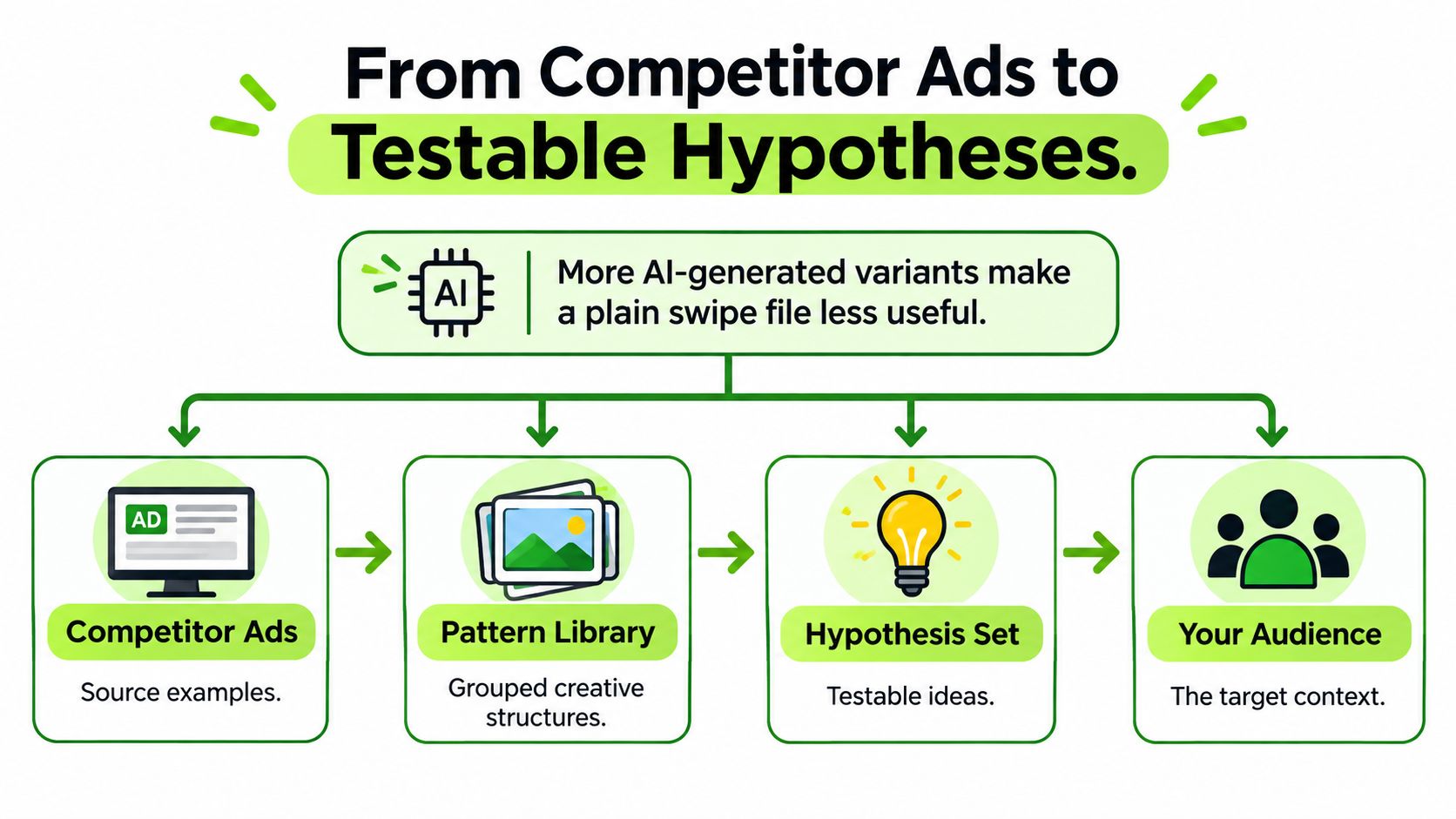
A swipe file gets less useful as variant volume grows. When every competitor can produce more versions, copying the surface of an ad tells you little about why it exists or whether it will work for your audience.
The pressure keeps rising. More advertisers now use generative AI to produce ad variants cheaply, so the creatives competing for your attention multiply faster than any folder of screenshots can handle. That volume is why a tagged taxonomy matters more than a swipe file. Tag each saved ad by hook, offer, format, landing-page claim, audience context, and test sequence. Tagged that way, a board of creatives works like a card catalogue: you can pull every discount-led video in one niche instead of scrolling through captures. Then you can turn competitive insights into action with a structured plan for what each pattern should trigger next.
This hierarchy shows how raw examples become ideas you can test.
Four Levels of Evidence From Competitor Ads to a Decision
| Level | What it establishes | Example | Limit |
|---|---|---|---|
| 1. Descriptive pattern | How often rivals open with a discount in the first three seconds | Describes competitor practice | Says nothing about results |
| 2. Hypothesis | Discount hooks lift cold-audience response | States the result that would prove it wrong | Still unproven |
| 3. Controlled test | Effect of one changed variable on your own account | Single variant before any budget is committed | Limited to the tested setting |
| 4. Incrementality or media-mix analysis | Likely causal effect where data permits | Compares lift across channels or markets | Needs enough data to be reliable |
Work the levels in order. First, record the pattern plainly, for example how often rivals open short video with a discount. At this level an ad record proves the creative ran, it only suggests the offer worked, and it cannot show what that campaign earned. Second, write a hypothesis and name the result that would prove it wrong. Third, test one variable on your own account. Fourth, where your data allows it, use incrementality or media-mix analysis to judge causal effect.
Say three competitors open with a discount in short video. Your hypothesis is that discount hooks lift cold-audience response. You test one variant against your current opener before committing real budget. If you are still at the product stage, our guide to researching a product helps you gather the store and ad evidence before you write that hypothesis.
Competitor creative is strong for generating hypotheses and weak as proof of performance.
Three Ways Teams Use an Advertising Intelligence Platform
Different readers ask different questions of the same records. These three scenarios show what a finished piece of research looks like for each.
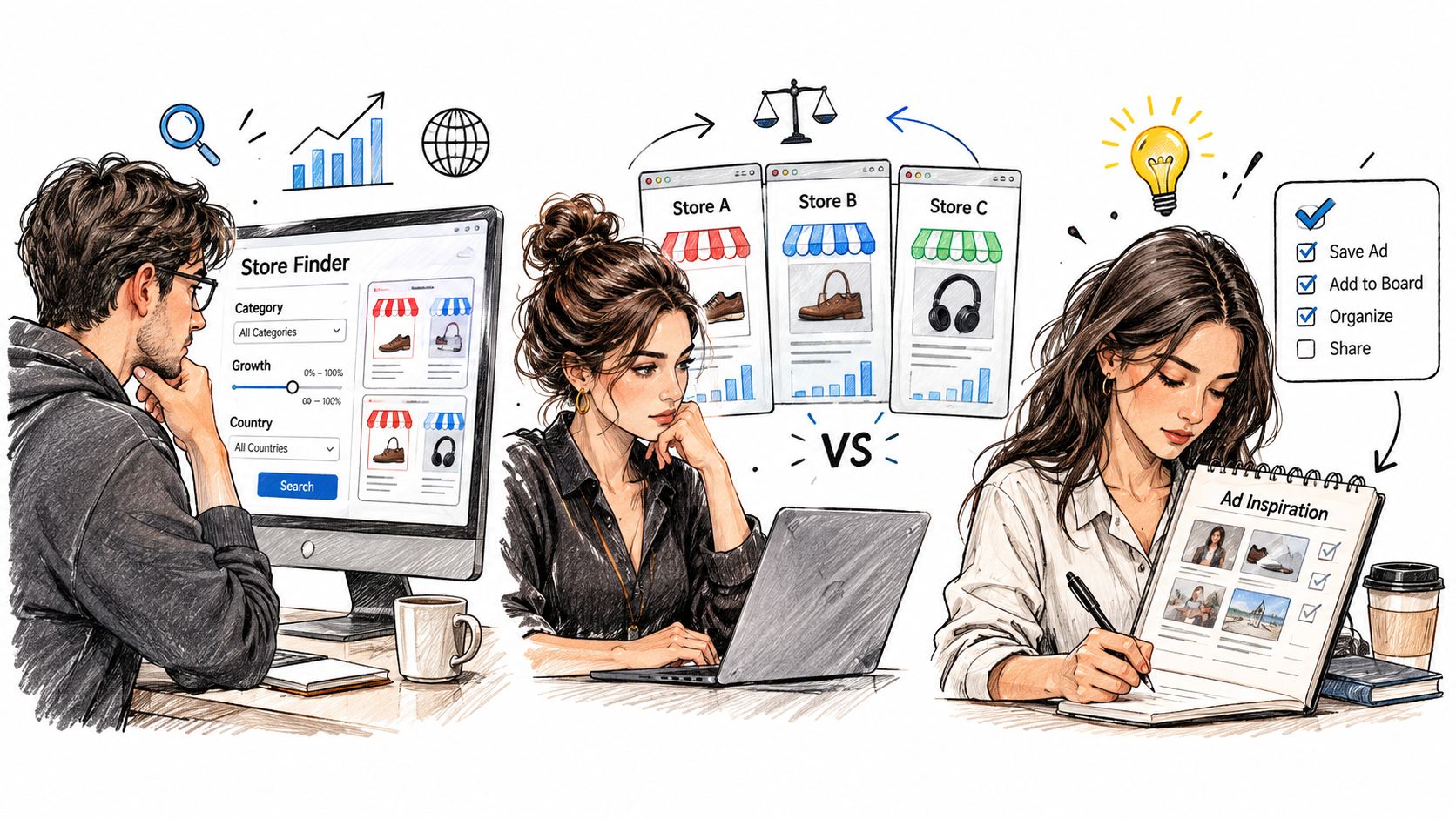
This illustration shows the shared workspace side of the work, where saved ads and stores stop living in one person's screenshots.
An Ecommerce Founder Scanning a Category
Say Maya runs a small Shopify store and wants to enter a new product category. She filters stores by category, growth, and country, opens two or three store profiles, and compares their traffic and product ranges. Then she shortlists the stores whose ads have run longest, because sustained delivery is a stronger lead than a one-day appearance.
She doesn't write down revenue guesses. Her output is a store shortlist, the price points she saw in public catalogues, and the offers those stores keep advertising. That's enough to decide which products deserve a closer look.
A Paid Social Marketer Studying Creative
Now say Daniel buys Facebook and Instagram ads and his current hooks are tiring. He searches by format, placement, and country, saves strong examples to a shared board, and compares run dates to see which hooks survive beyond a week. Ads that vanish quickly go into a separate pile. They may still spark ideas, but he labels the reason for their short run as unknown.
This walkthrough shows that kind of creative review in motion, from searching records to organizing the examples worth testing.
Daniel's output is three creative patterns, each tagged with hook, offer, and landing-page claim. He doesn't copy a winning ad. He writes one testable version of each pattern for his own audience.
An Agency Coordinating Several Clients
An agency team has a different problem. Findings sit in one person's inbox and nobody notices when a competitor changes direction. So the team tracks each client's named competitors, reviews weekly change summaries, and shares saved stores and folders across the account team. If you're setting up that routine, our guide to what competitor intelligence is explains how to frame the questions before you start tracking.
Their output is a list of changes to revisit next month, with dates. New formats, new landing pages, and ads that stopped delivering all get one line each. The client sees movement, not a pile of screenshots.
Check Coverage Before You Commit to a Platform
Run these checks in one sitting before you rely on any platform for reports. Each one protects you from a specific misreading.
- Coverage: Confirm which ad networks and countries the platform covers, since some archives include only Meta platforms.
- Source labels: Confirm every figure shows its source and reporting period.
- Missing data: Confirm absent traffic or creative is omitted rather than estimated.
- Timestamps: Confirm the platform separates creation time from delivery time and records when it retrieved each item.
- Estimates: If spend or revenue appears, ask for the method and treat it as modelled.
- Access limits: Check API fair-use rules and export options if the data must move into other tools.
- Team use: Check whether saved stores, folders, and alerts can be shared across the account team.
Run a Three-Ad Verification Test
Then test the platform against reality. Pick one category and one competitor you know well. Find three of its ads, open each record, and compare the copy, landing page, and run dates with your own notes. If the dates or destinations don't match what you can verify, don't use that platform for client or budget decisions.
Repeat the test with every platform on your shortlist. The one that passes isn't the one with the most charts. It's the one whose records you can trace back to a source.
For comparison, every AdLibrarySpy feature is free, including shop search, the ads library, Brandtracker, team workspaces, the weekly report, and AI access. Full ad history and saving ad creatives to boards are also free after signing up for a free account, so you can run the verification test without paying first.
Start your next competitor check with evidence you can date and trace. With AdLibrarySpy, you can search stores and Meta ads, read run dates and landing pages, save creatives to shared boards, and track brands for changes, all for free. Create your free account today, run the three-ad verification test on a competitor you know, and build your first shortlist from records you can defend.
More guides
Try AdLibrarySpy free
Search millions of stores and real Meta ads. No card, no trial — sign up with just your email.